
How to Build an AI Sales Stack for Your B2B Team in 2026
This guide maps the AI sales tool landscape for mid-market B2B teams, breaking down six tool categories, pricing benchmarks, and a stack recommendation for 5-person outbound teams at roughly $700 per month. Use it to evaluate, compare, and build a cost-effective AI sales stack without overspending on enterprise suites.
The fastest way to overspend on ai sales tools in 2026 is to start with a suite demo instead of a workflow map. A five-person outbound team does not need every possible AI feature. It needs clean account data, sequenced outreach, reliable handoffs to CRM, meeting capture, and enough human review that automation does not quietly create bad pipeline. That is a smaller problem than most vendor pages make it sound.
The urgency is real, though. Highspot reports that 78% of B2B organizations have adopted AI for sales, while fewer than half fully utilize the tools they have adopted.[1] Nutshell’s 2026 adoption data shows marketing ahead of sales by 26 percentage points, at 77% adoption versus 51%.[2] Meanwhile, sales reps still spend only 25–28% of their time actually selling, with the rest absorbed by research, data entry, and administrative work.[3] The buying question is not whether AI belongs in sales. It is which recurring friction is worth paying to remove.
As of July 9, 2026, a realistic five-person outbound stack can be benchmarked at roughly $680–$720 per month on annual billing, based on Salesforge’s June 2026 pricing analysis for data, outreach, calling, scheduling, and meeting intelligence.[4] Pricing in this category changes quickly, so treat that as a working budget line, not a permanent quote.
The six categories that actually matter
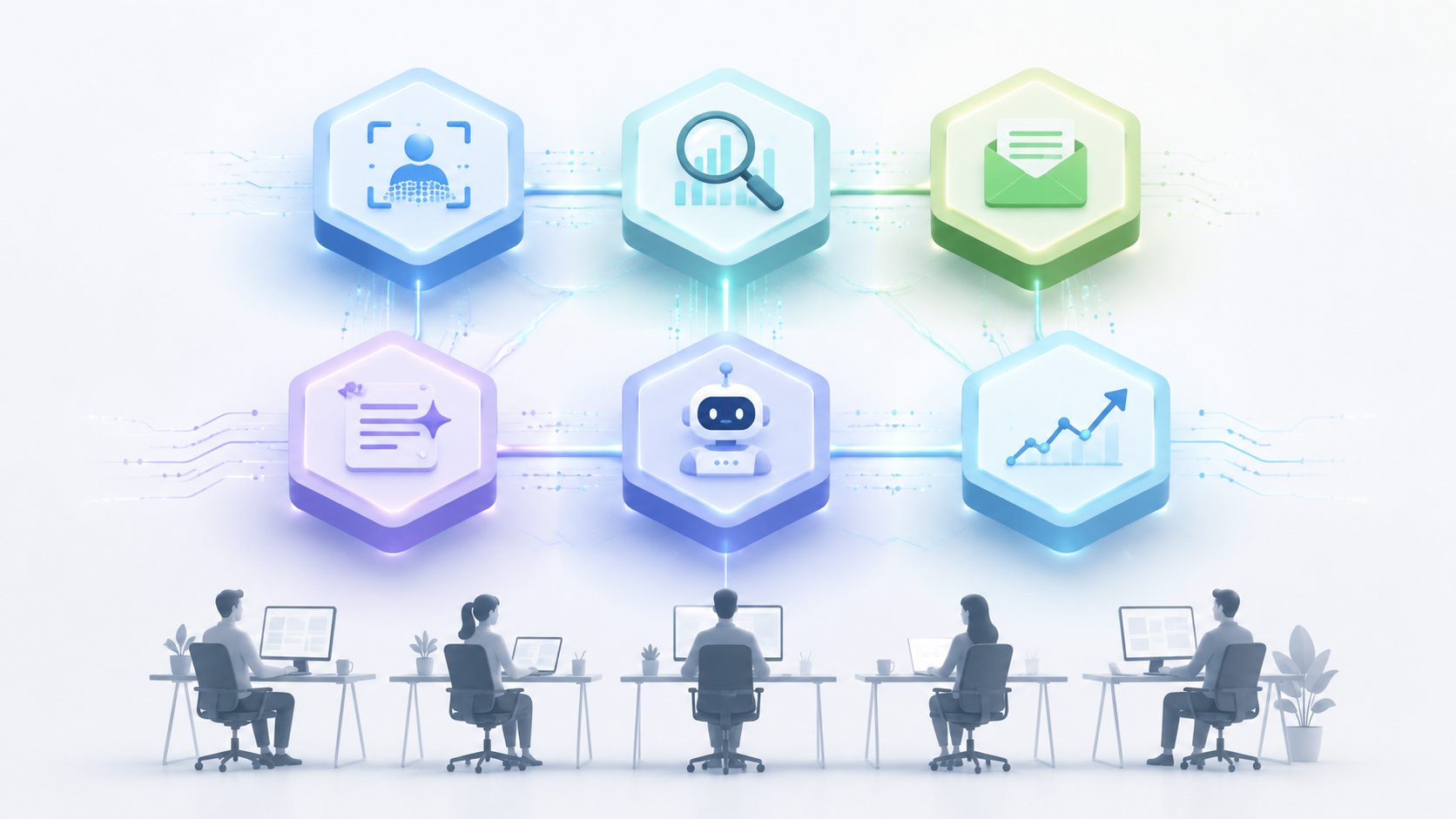
The AI sales market looks chaotic because vendors describe features, not jobs. Once the stack is mapped by workflow, the decision gets less dramatic. Most B2B outbound teams are choosing among six categories: AI SDRs, data enrichment, multichannel outreach, CRM AI layers, conversation intelligence, and meeting intelligence. The borders are not clean. Gong, for example, can sit in both conversation intelligence and meeting intelligence. HubSpot and Salesforce can behave like CRM systems, AI assistants, and workflow automation layers at the same time. That overlap is exactly why a category map matters before a purchasing call.
| Category | Primary job | Workflow position | Typical buy signal |
|---|---|---|---|
| AI SDRs | Execute prospecting actions such as account research, outreach, follow-up, and meeting booking | Top of funnel through handoff | Reps are buried in repeatable prospecting tasks, but management can still review outputs |
| Data enrichment | Find, verify, and refresh company, contact, and intent data | Before outreach and during account prioritization | CRM records are incomplete, stale, or too slow for outbound targeting |
| Multichannel outreach | Run email, LinkedIn, calling, and follow-up sequences with AI-assisted personalization | Outbound execution | The team needs cadence control more than another writing assistant |
| CRM AI layers | Summarize records, update fields, score leads, and surface next actions inside the CRM | System of record | Managers do not trust activity data, stage data, or rep follow-through |
| Conversation intelligence | Analyze calls and sales conversations for coaching, risk, objections, and messaging patterns | Live calls, demos, and call review | Managers need to coach from evidence instead of anecdotes |
| Meeting intelligence | Record, transcribe, summarize, and push meeting notes into CRM | After meetings and handoffs | Reps lose time writing notes, and customer details disappear between meetings |
AI SDRs: promising, but not a free pass to remove judgment
AI SDR tools get the most attention because they appear to replace chunks of the outbound motion, not just assist with it. The newer class can research accounts, generate messages, run follow-ups, update fields, and book meetings. Salesforge’s 2026 category guide includes Agent Frank as an example of this autonomous SDR category and frames the broader market shift as moving from AI that suggests to AI that acts.[4]
That is useful when the work is repetitive and reviewable. If an SDR is spending Tuesday morning checking titles, writing first-touch variations, logging activities, and chasing meeting links, an AI SDR can remove real drag. It becomes risky when the tool is allowed to define targeting logic, messaging judgment, and CRM truth without a manager noticing. Autonomy makes a bad list louder. It does not make the list better.
A five-person team should consider an AI SDR when outbound volume is constrained by manual research and follow-up, not when the team is still unsure which accounts are worth pursuing. The buyer should ask three operational questions before looking at demo polish: What actions can the tool take without approval? Where do drafts, activities, and booked meetings land in CRM? What does the manager review each week to catch drift?
- Buy if: reps are losing selling time to repeatable research, personalization, follow-up, and scheduling.
- Defer if: ICP, territories, account ownership, or CRM hygiene are still unstable.
- Watch for: duplicate outreach, unaudited personalization, hidden sending limits, and unclear CRM writeback rules.
- Do not count it twice: if the AI SDR already includes sequencing, enrichment, or scheduling, subtract that from the rest of the stack before buying another tool.
Data enrichment is the least glamorous category and often the first one to fix
Data enrichment sits before most visible AI wins. If job titles are wrong, company size is stale, email quality is poor, or account ownership is messy, AI-generated outreach only helps the team make mistakes faster. This is why tools such as Apollo and ZoomInfo AI appear so often in 2026 AI sales tool lists: they feed the rest of the system.[4]
The practical job is not “more data.” It is fewer dead ends. A useful enrichment layer helps reps identify the right account, find a plausible contact, verify whether the contact can be reached, and push usable fields into the CRM or outreach tool. For smaller teams, the best enrichment purchase is usually the one that improves the next 500 accounts they will actually work, not the one with the largest database slide.
Enrichment also creates one of the first stack-overlap traps. Outreach platforms increasingly include prospecting databases. CRM platforms increasingly include data suggestions. AI SDR tools may bundle their own data sources. That does not make a standalone enrichment tool unnecessary, but it does mean the team should test whether one source becomes the source of truth or whether reps will spend time reconciling three versions of the same contact.
Multichannel outreach is where utilization is won or lost
Outreach tools are the workbench of outbound sales. They manage sequences, sending logic, channel mix, personalization, reply handling, and increasingly AI-written copy. Salesforge and Saleshandy both place multichannel execution at the center of the 2026 sales tool landscape, with examples including Salesforge and Saleshandy for outbound sequencing and personalization.[4][5]
This is also the category where teams confuse feature depth with operating discipline. A sequence builder does not solve bad segmentation. AI copy does not solve weak positioning. LinkedIn automation does not solve unclear account ownership. The tool earns its place when it reduces the daily effort required to run controlled, compliant, measurable outreach across the channels the team already knows how to use.
For a five-person outbound team, the outreach layer should usually be a core purchase. It is where enrichment becomes activity and where managers can inspect whether AI is increasing useful touches or merely increasing noise. The buying test is simple: can the team see who is enrolled, what was sent, which replies matter, and what happens next without opening five tabs?
There is a demand-generation edge here as well. When outbound sequences intersect with campaign audiences, paid retargeting, or content-led plays, the same contacts may be touched by both sales and marketing systems. Teams working through that overlap can use the AI in B2B demand generation channel guide to keep channel decisions separate from sales-tool decisions.
CRM AI layers should reduce admin, not become another admin surface
CRM AI layers are attractive because they sit where managers already look for truth: accounts, contacts, activities, opportunities, tasks, and forecasts. HubSpot Breeze AI and Salesforce Einstein are common examples in this category, and Salesforge includes CRM AI layers among the core 2026 AI sales tool types.[4]
The useful version is boring in the best way. It summarizes recent activity, drafts follow-up tasks, updates fields from meetings or emails, scores leads based on agreed rules, and helps managers find records that need attention. The bad version creates a second layer of suggestions that reps ignore because acting on them takes longer than doing the original work.
CRM AI should be evaluated against a Tuesday-morning workflow: a rep opens the CRM, sees what changed, knows what to do, and leaves cleaner data behind. If the tool requires separate dashboards, manual copying, or ambiguous approval flows, utilization will collapse into the same gap Highspot identifies: adoption without full use.[1]
HubSpot teams should look closely at what Breeze AI already covers before buying a separate CRM assistant. The HubSpot Sales Hub Breeze AI practitioner review and the broader HubSpot Breeze AI tool profile are better places to answer platform-specific setup questions than a general stack map.
Conversation intelligence is a management tool before it is a rep tool
Conversation intelligence tools analyze calls and meetings for patterns: objections, competitor mentions, pricing friction, talk ratios, next steps, and risk signals. Gong Agents is one example named in 2026 category coverage, and Gong also illustrates why category lines blur: the same platform can support call analysis, meeting capture, coaching, and follow-up workflows.[4]
For a small outbound team, this category is easiest to justify when managers are already spending time listening to calls and coaching reps. If no one reviews calls today, buying AI call analysis will not magically create a coaching culture. It may simply produce searchable call libraries nobody opens.
The best early use is narrow: inspect first-call quality, test whether messaging lands, identify which objections stall meetings, and compare booked meetings against later opportunity quality. That makes conversation intelligence more useful after there is enough call volume to find patterns. A two-rep pilot may need meeting notes more than full conversation analytics.
Meeting intelligence is the easiest category to adopt, but not always the highest-leverage one
Meeting intelligence tools record, transcribe, summarize, and push notes into downstream systems. Fathom and Gong are common examples in 2026 sales-tool coverage.[4] This category tends to get adopted quickly because the pain is obvious: reps hate writing notes, managers hate missing context, and customer details decay quickly after the call ends.
The limitation is that meeting intelligence starts after the meeting exists. It will not fix poor targeting, low reply rates, or weak call booking. For outbound teams with few meetings, it should be lightweight and inexpensive. For teams with consistent discovery volume, customer handoffs, or complex multi-threaded deals, it becomes more important because every missed detail can create downstream friction.
What a five-person outbound team should buy, defer, or avoid
The six categories do not deserve equal budget on day one. A five-person outbound team needs a stack that covers the whole motion without creating tool sprawl. The right default is modular: buy the layers that remove current bottlenecks, keep the CRM as the record of truth, and avoid suite contracts until the team has enough process maturity to use the breadth.
| Decision | Category | Why |
|---|---|---|
| Buy early | Data enrichment | Bad data damages every downstream AI action. |
| Buy early | Multichannel outreach | It is the main execution layer for outbound volume, sequencing, and reply handling. |
| Buy selectively | CRM AI layer | High value when it writes back cleanly and reduces admin inside the system reps already use. |
| Buy lightly | Meeting intelligence | Useful and easy to adopt, but should match meeting volume. |
| Pilot carefully | AI SDR | High upside when workflows are stable; high mess potential when targeting and review are weak. |
| Defer until call volume justifies it | Conversation intelligence | Best when managers will actually coach from the data. |
| Avoid as a default | Enterprise all-in-one suite | May be right later, but a small outbound team should not pay for breadth before it proves utilization. |
This is also where implementation sequence matters more than vendor preference. A team that buys outreach before data may spend its first month sending to the wrong people. A team that buys an AI SDR before defining review rules may create activity that looks productive until the CRM fills with noise. For sequencing, the AI sales and marketing stack sequencing guide is the better companion piece.
A practical stack budget near $700 per month
The useful benchmark is not the cheapest possible stack. It is a credible operating stack that a five-person team can actually use. Salesforge’s June 2026 analysis places a realistic five-person outbound stack at about $680–$720 per month with annual billing, covering data, outreach, calling, scheduling, and meeting intelligence.[4] The exact vendor mix will vary, but the cost shape is more important than the brand names.
| Stack layer | Role in the stack | Budget stance |
|---|---|---|
| Data enrichment | Build and refresh target accounts and contacts | Core budget |
| Multichannel outreach | Run sequences, personalization, follow-up, and reply handling | Core budget |
| Calling or dialer capability | Support phone touches when the team uses calling as part of outbound | Core only if calling is part of the motion |
| Scheduling | Remove meeting-booking friction and reduce back-and-forth | Low-cost utility |
| Meeting intelligence | Capture summaries, next steps, and CRM notes | Lightweight unless meeting volume is high |
| CRM AI layer | Improve CRM summaries, tasks, scoring, and field hygiene | Use native CRM capability first if already included |
| AI SDR | Automate repeatable prospecting actions | Pilot after data, outreach, and review rules are stable |
A sensible first version might look like this: one enrichment source, one outreach platform, the scheduling tool already used by the company, a lightweight meeting recorder, and the CRM’s native AI features if they are included in the existing plan. Add an AI SDR only after the manager can name which actions it is allowed to take and how outputs will be reviewed. Add conversation intelligence when call volume and coaching rhythm justify it.
This keeps the team close to the $700 monthly benchmark while still covering the main workflow. It also avoids the common failure mode of buying a suite because the landscape feels overwhelming. A suite can be rational for a larger organization with complex governance, procurement needs, deep CRM customization, and enough managers to use every module. For a five-person outbound team, the burden of proof should run the other way.
How to judge vendors without getting trapped by the demo
Vendor demos usually show the happy path: perfect data, clean CRM fields, responsive prospects, and no awkward handoffs. The working test should be less flattering. Ask each vendor to show how the tool handles duplicate contacts, bounced emails, failed CRM writes, rep edits, opt-outs, account ownership conflicts, and partially completed sequences. Those are the situations that decide whether the tool removes work or simply moves work into another dashboard.
- Integration quality: where does the tool read from, where does it write to, and what happens when fields conflict?
- Human review: which AI actions require approval, and where does approval happen?
- Category overlap: which paid features duplicate what the CRM, outreach tool, or meeting tool already does?
- Utilization: which role uses the tool every day, and what happens if that person ignores it?
- Pricing durability: what changes at renewal, seat expansion, usage growth, or annual billing conversion?
Outcome claims deserve the same discipline. MarketsandMarkets cites Gartner for the claim that sales teams using AI-driven lead scoring cut sales cycle time by 30%, but the MarketsandMarkets page is sponsored content and should be treated cautiously beyond the independently attributed statistic.[3] For leadership teams trying to justify spend, the deeper issue is not whether AI can help; it is whether the organization can prove which part of the stack created the gain. The AI Sales ROI Paradox covers that measurement problem in more detail.
For most mid-market outbound teams in Q3 2026, the smarter default is category-specific coverage: enrichment to improve inputs, outreach to run the motion, CRM AI to protect the system of record, lightweight meeting capture to preserve context, and selective automation where review is clear. Enterprise breadth can come later. First, the team needs tools reps will use, managers can inspect, and RevOps can keep clean.
References
- 10 of the best AI sales tools: 2026 edition, Highspot
- AI Sales Tools: 2026 Adoption Trends & Best Practices, Nutshell
- The Evolution of AI Sales Tools: What 2026 Brings to Your Team, MarketsandMarkets
- 10 Best AI Sales Tools in 2026 (Tested & Ranked by Category), Salesforge
- 10 Best AI Sales Tools & Platforms in 2026, Saleshandy


Comments
Join the discussion with an anonymous comment.