
Four ChatGPT Security Controls Every Advertiser Needs
Advertisers managing multiple ad accounts face credential theft, session hijacking, and data exfiltration risks through ChatGPT. This dated tracker evaluates OpenAI's four key security controls — MFA, passkey-only login, Lockdown Mode, and Active Sessions — against the specific attack vectors threat actors use against advertisers.
- Platform
- ChatGPT
- Campaign type
- Account Security Controls
- Spend range
- 0
- Timeframe
- 2026-Q3
- Number of Controls Evaluated
- 4
- Verdict
- mixed
- Last reviewed
- 2026-07-25
For advertisers, ChatGPT account security should not start with a generic checklist. The useful question is simpler: which control blocks which failure mode when a media team is moving API keys, client strategy notes, audience research, prompt history, and login access through the same working account?
In Q3 2026, OpenAI’s visible account-security controls do not overlap as much as they sound. MFA helps against stolen passwords and credential stuffing. Advanced Account Security, as reported by SecurityWeek, changes the login and recovery path by moving to passkey-only access. Lockdown Mode is aimed at prompt-injection and outbound data movement. Active Sessions helps after access exists, when someone needs to find and kill a session that should not be there.
One exposure sits outside that normal security stack: consumer ChatGPT accounts train on prompts by default unless the user disables “Improve the model for everyone” in Data Controls, while Enterprise and Business tiers are reported as opting out by default.[1][2] That matters because campaign intelligence pasted into a chat is not protected by MFA just because the login is harder to steal.
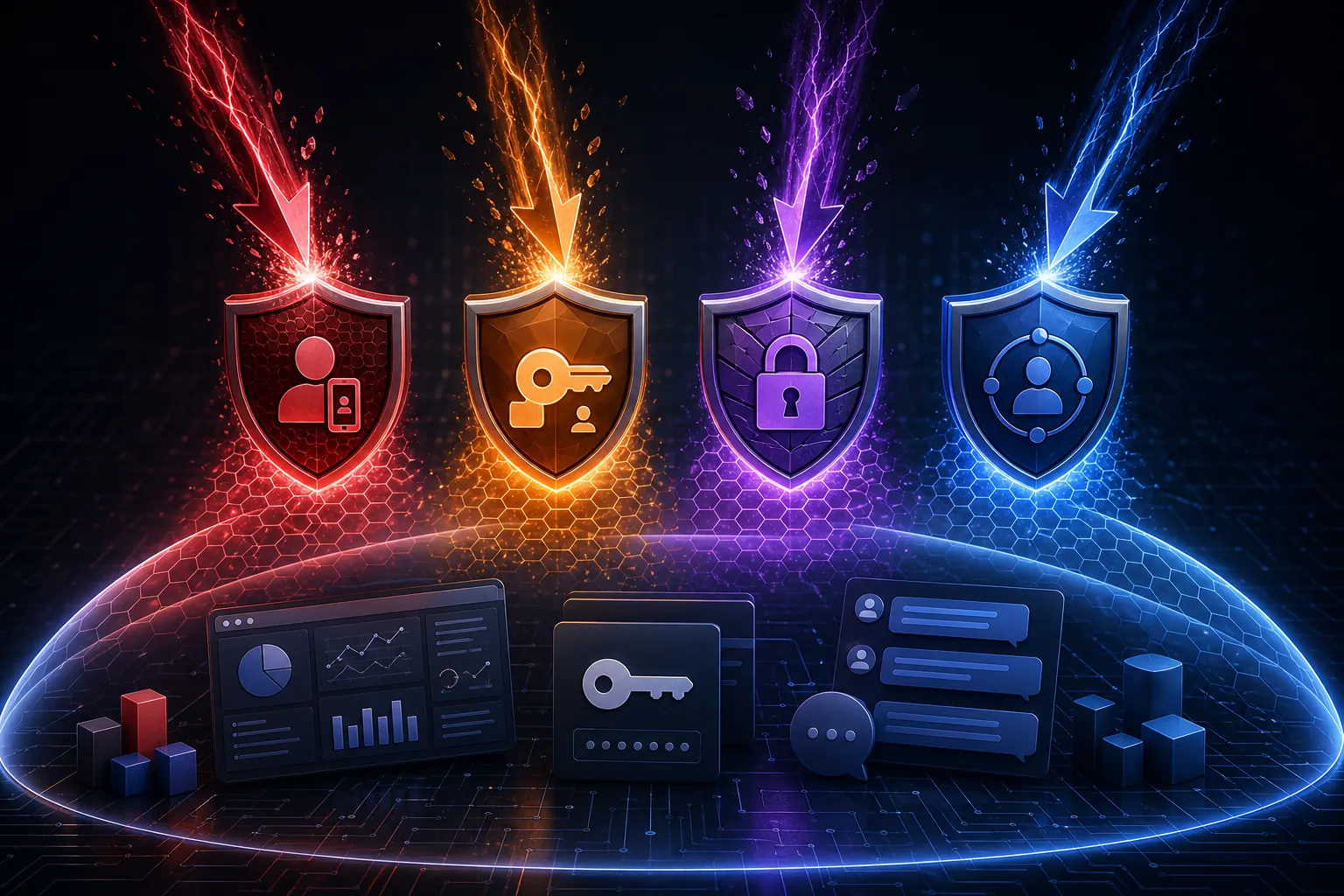
Dated Tracker: What Each Control Actually Covers
| Control | Release or reporting window | Advertiser-relevant attack path | Advertiser data at risk | Operational verdict | What remains uncovered |
|---|---|---|---|---|---|
| Multi-factor authentication | Available before the 2025-2026 controls covered here; included as the baseline login defense | Credential stuffing, reused passwords, and stolen password attempts | Chat history, ad account notes, API keys pasted into chats, client research, saved instructions | Enable it, but do not treat it as full account containment. It raises the cost of using a stolen password. | Does not stop prompt data from being used for training. Does not neutralize a live authenticated session. Does not remove the value of already-stolen chat contents. |
| Advanced Account Security / passkey-only login | Reported by SecurityWeek in November 2025 | Infostealer-collected passwords, password-based login, and email/SMS recovery paths including SIM-swap-style recovery risk | Full account access, stored prompt history, connected workspaces, sensitive client planning notes | Stronger than ordinary MFA for the specific stolen-password path because the password path is removed rather than merely challenged.[3] | Public details here rely on SecurityWeek reporting because the OpenAI documentation pages checked for this tracker returned authentication errors. It should not be described as universal protection against every post-login attack. |
| Lockdown Mode | Reported by SecurityWeek in early 2026 | Prompt injection that tries to push ChatGPT toward outbound network requests, browsing, agent actions, or file downloads | Audience files, exported reports, client documents, research pasted into prompts, agent-accessible workflow context | Use it when the account handles client-sensitive work or when agentic features are unnecessary for the task.[4] | Does not solve consumer-account training defaults. Does not replace review of what users paste into prompts. May reduce useful capabilities. |
| Active Sessions | Reported by SecurityWeek in mid 2026 | Unrecognized logged-in sessions, shared-device exposure, account access that survived a password change | Prompt history, saved account state, active workspace access, client material in recent chats | Useful for cleanup and detection. It belongs after prevention, not instead of prevention.[5] | Only helps once someone checks it or has a reason to investigate. It does not prevent initial login compromise. |
The table is deliberately uneven because the controls are uneven. A team that enables MFA but leaves consumer training on still has a data-use problem. A team that uses Lockdown Mode but keeps password login and weak recovery still has a credential problem. A team that only checks Active Sessions after a scare is already in containment mode.
For a running record of how OpenAI privacy and account settings have shifted for advertisers, see ChatGPT Ads Privacy Shift Introduces Account Security Risks. The point here is narrower: match the control to the attacker route before calling the account secure.
Credential Theft Is the First Route, Not the Whole Map
The cleanest evidence that ChatGPT credentials have value is still the Group-IB finding that more than 100,000 compromised ChatGPT account credentials appeared on dark web marketplaces during the May 2022 to May 2023 window, as covered by Mashable and Bitdefender.[6][7] That figure is not advertiser-specific, and it is not a current 2026 count. It is still enough to end the comfortable assumption that ChatGPT login theft is theoretical.
For an advertiser, the account is rarely just a chat window. It may hold draft channel strategy, naming conventions, landing-page notes, audience hypotheses, feed-cleanup instructions, spreadsheet snippets, or API keys pasted during troubleshooting. The attacker does not need the ad platform itself if the ChatGPT history explains how the account is structured and where the sensitive systems sit.
OpenAI’s own threat-intelligence reporting, covered by The Record in June 2025, described nation-state actors abusing ChatGPT accounts for activity including malware refinement and disinformation operations.[8] That is not proof that ordinary advertiser accounts are being targeted at the same rate, and it should not be stretched into a loss estimate. It does show that account abuse is an active operational pattern, not just a consumer privacy concern.
This is where the first two controls separate. MFA is the baseline because it interrupts the simplest stolen-password route. If an old password leaks from an unrelated breach or an infostealer pulls credentials from a browser, MFA gives the account owner a second gate. That is worth enabling even if the rest of the setup is imperfect.
But MFA is not the same as removing password login. SecurityWeek’s November 2025 reporting on Advanced Account Security describes passkey-only login that disables password-based login and replaces email/SMS recovery with backup passkeys.[3] If implemented as reported, that changes the economics of infostealer credentials: a harvested password is no longer enough because the password path itself is gone.
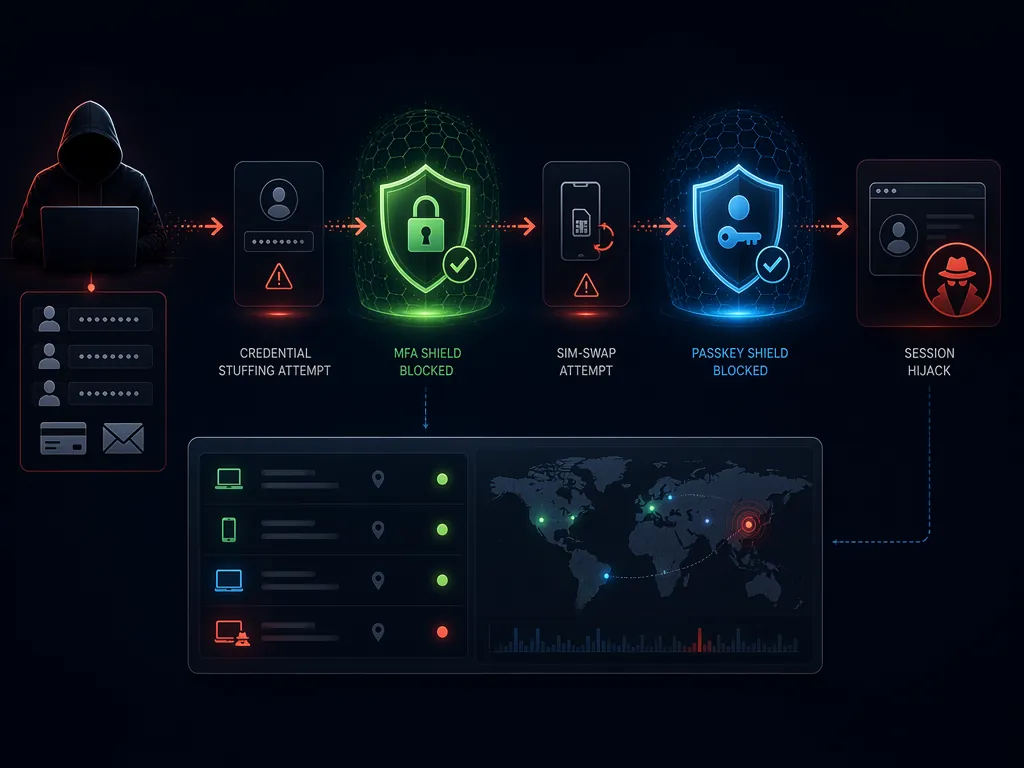
The recovery detail matters for agencies because shared operational habits often weaken login controls. A media buyer may be careful with the primary password and careless with the recovery path. A contractor may leave a session open. A phone number used for account recovery may become the easier target. A control that removes email or SMS recovery from the center of the account is materially different from one that merely adds a challenge after a password.
Active Sessions sits later in the sequence. SecurityWeek’s mid-2026 reporting describes a feature that lets users see and terminate unrecognized sessions.[5] That is useful after a laptop handoff, a contractor departure, a suspicious login, or a password rotation. It is also an admission that prevention will not be perfect. Someone still has to look.
A practical credential response for an advertiser account therefore has an order:
- Enable MFA on every account that touches client or campaign material.
- Use Advanced Account Security where available for accounts that hold sensitive client strategy, API material, or persistent chat history.
- After any suspicious event, check Active Sessions before assuming a password change ended access.
- Rotate any ad-platform credential, API key, or shared secret that appeared in chats available to the compromised account.
- Document which client materials were present in chat history instead of relying on memory during cleanup.
That last step is the one teams underestimate. The cleanup burden is not only “change the password.” It is reconstructing what the attacker could read, download, infer, or reuse. The same logic applies when evaluating broader AI security incidents; the useful question is what access path existed and what material sat behind it. Signal & Convert’s OpenAI model-containment breach tracker and marketing automation breach record are useful companions for that incident-response lens.
Lockdown Mode Covers a Different Failure: The Chat Does Something With the Data
Credential compromise is easy to understand because the attacker logs in. Prompt-injection data exfiltration is messier because the user may be logged in legitimately and the risky instruction arrives inside content the model is asked to process. That distinction is why Lockdown Mode belongs in a separate column, not under generic “account hardening.”
SecurityWeek’s early-2026 reporting says Lockdown Mode blocks outbound network requests, live web browsing, agent mode, and file downloads to reduce prompt-injection data exfiltration risk.[4] Those are exactly the capabilities that make an AI workflow useful when a marketer wants research, file handling, or agentic follow-through. They are also the capabilities that create a path from a poisoned instruction to an external destination.

In an advertising workflow, the exposed material does not have to be dramatic to be useful. A competitor-audience comparison, a draft launch calendar, an unpublished offer structure, a CRM export used for segmentation, or a spreadsheet of landing-page tests can be sensitive even when it is not a password. The risk is not only that ChatGPT stores it. The risk is that a connected tool path moves it somewhere the user did not intend.
Lockdown Mode is most defensible for accounts that handle client-sensitive work and do not need agentic functions for the current task. If a buyer is using ChatGPT to rewrite ad variants from an approved brief, disabling browsing and downloads may be a low operational cost. If the same buyer is using agent mode to research competitors across the web, the cost is higher, and the team needs a separate rule for when that expanded capability is allowed.
That rule should be tied to the work, not the user’s confidence. Agentic features expand the number of places an instruction can travel and the number of systems it can touch. Signal & Convert’s Agent Mode tracker for marketing teams and ad-agent containment guide are the more relevant internal records when the question is not login security but what an AI agent can reach.
The Consumer Training Default Is a Separate Data-Exposure Flag
The account can have strong login controls and still be the wrong place to paste campaign intelligence. ESET and Kaspersky both describe consumer ChatGPT accounts as using prompts for model improvement by default unless the user turns off “Improve the model for everyone” in Data Controls; they also note that changing the setting does not remove data already ingested.[1][2]
That is not the same risk as a stolen session. No attacker has to break in for the exposure to matter. The team simply uses the default environment as if it were a private campaign workspace. MFA, passkeys, Lockdown Mode, and Active Sessions do not retroactively make that prompt choice safe.
The clean operating standard is to treat consumer ChatGPT as a default-training environment unless the settings prove otherwise. For structural data-collection implications, see ChatGPT’s data privacy design blocks ad measurement. For teams that need campaign memory without leaving everything in prompt history, the safer workflow is closer to a controlled export and review process; Signal & Convert’s ChatGPT history export guide covers that side of the retention problem.
A Q3 2026 Standard for Advertiser Accounts
A workable advertiser standard does not need to turn every ChatGPT account into a compliance project. It needs to stop pretending that one security setting covers every route.
- Use MFA as the minimum control against stolen passwords and credential stuffing.
- Use Advanced Account Security where available for accounts that should not have a password or SMS recovery path.
- Use Lockdown Mode when the account handles sensitive advertiser data and does not need browsing, downloads, agent mode, or outbound network requests for the task.
- Use Active Sessions during audits, offboarding, suspicious-login reviews, and post-incident cleanup.
- Treat consumer ChatGPT prompts as training-eligible unless Data Controls or the account tier prove otherwise.
The public evidence is imperfect. OpenAI documentation pages for some controls were not publicly accessible when checked for this tracker, so the details for Advanced Account Security, Lockdown Mode, and Active Sessions are based on SecurityWeek’s reporting rather than a fully reviewed public OpenAI documentation set. No cited source measured how many compromised ChatGPT accounts belonged to advertisers, and no source quantified advertiser-specific financial losses.
Those caveats narrow the claim; they do not erase the operating need. In Q3 2026, advertisers should enable each control according to the attacker path it addresses, assume consumer ChatGPT is a default-training environment unless settings show otherwise, and keep this tracker dated because OpenAI’s security surface is still changing.
References
- ChatGPT privacy: how to disable training on your data, ESET
- ChatGPT privacy settings and Data Controls, Kaspersky
- OpenAI launches Advanced Account Security for ChatGPT, SecurityWeek, November 2025
- OpenAI adds Lockdown Mode to ChatGPT, SecurityWeek, early 2026
- OpenAI adds Active Sessions management to ChatGPT, SecurityWeek, mid 2026
- Over 100,000 ChatGPT accounts stolen, credentials sold on dark web, Mashable
- Over 100,000 ChatGPT credentials for sale on dark web, Bitdefender
- OpenAI threat intelligence report documents abuse of ChatGPT accounts, The Record, June 2025
Built on this evidence
No Bidding tactic or Creative record currently cites this case file. Compare it against other results in Benchmarks.
Related benchmark reading
Report a corroborating or contradicting result
Seeing something different in your own account? Feed the data-integrity loop instead of leaving an open comment.