
AI Email Scam Verification Tools
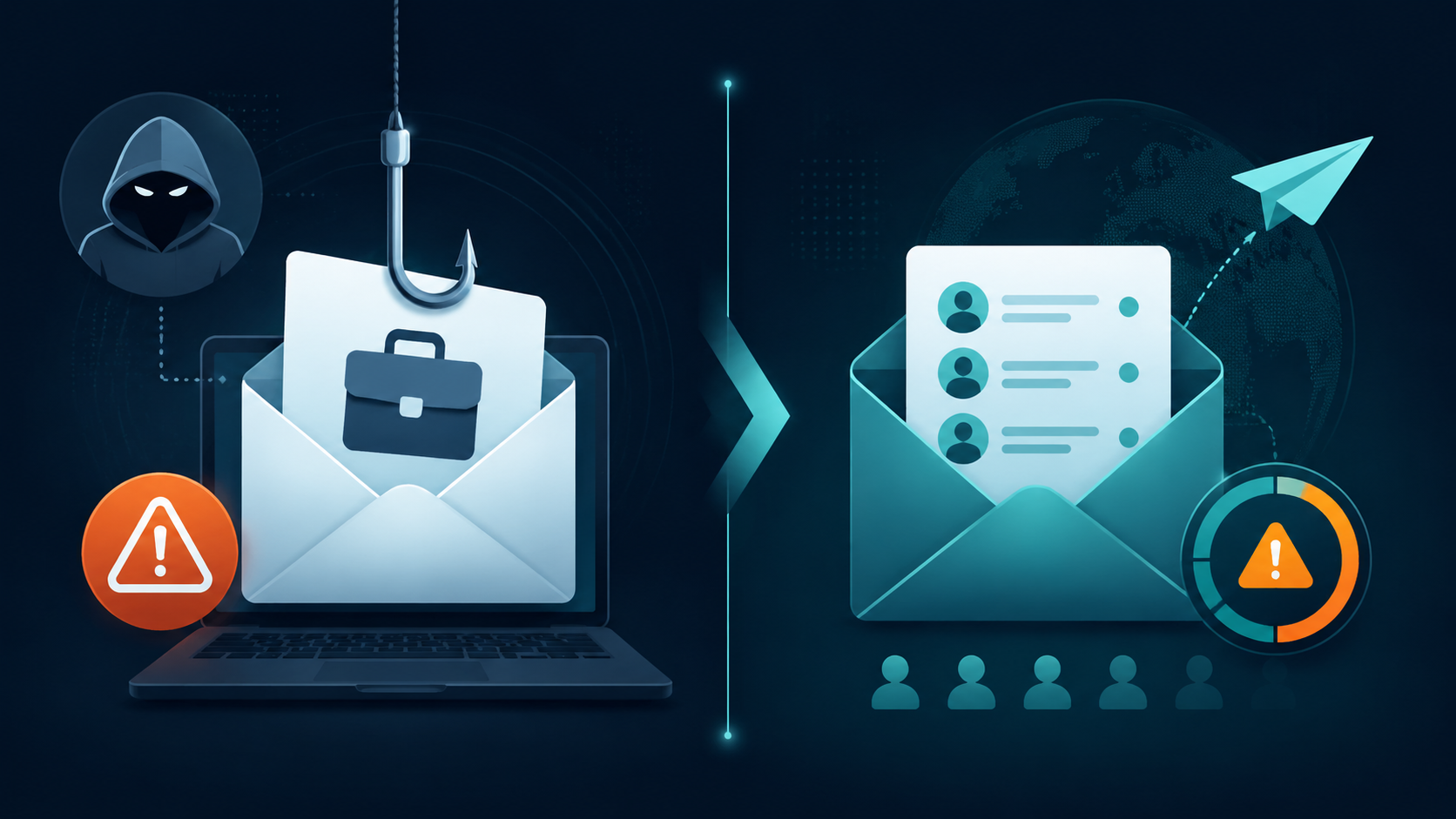
Marketing teams face two distinct email scam risks: AI-crafted phishing emails targeting their team and deliverability damage from bad contact lists. This article compares AI tools for both inbound detection and outbound verification, and provides a decision framework for choosing the right combination based on your team's risk profile.
Marketing Categories
⚠ Notable Limitations
No single tool addresses both inbound phishing detection and outbound list verification
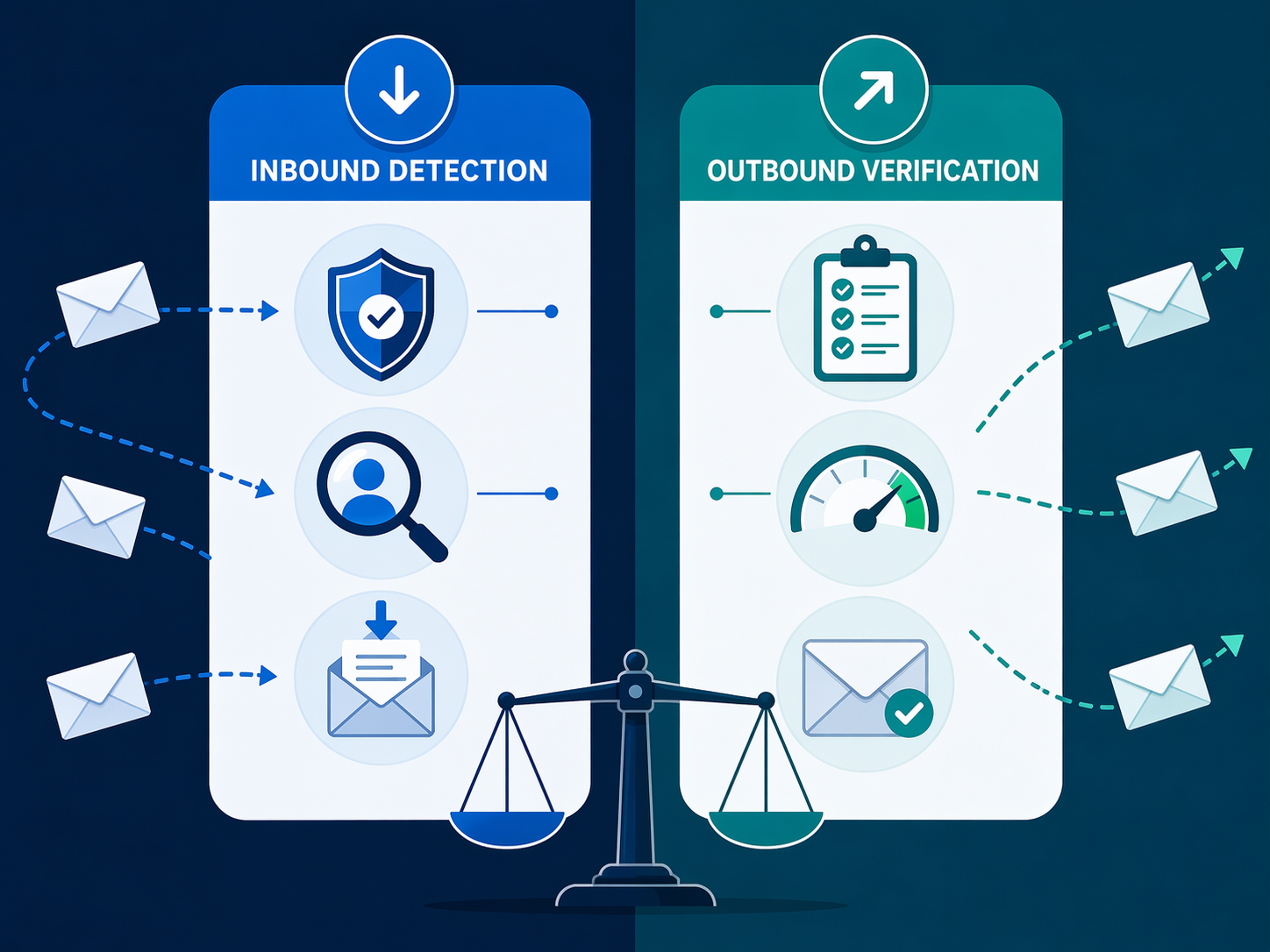
The phrase ai tools for email scam verification in marketing hides two different jobs. One tool category protects the team from emails coming in: phishing, business email compromise, fake invoices, partner impersonation, and vendor messages that look normal enough to get forwarded. Another protects campaigns going out: bad addresses, toxic contacts, traps, invalid domains, and imported lists that can damage sender reputation before anyone notices the drop in inbox placement.
Those are not the same workflow. They do not sit in the same system. They do not produce the same action. An inbound email security platform asks, “Should this message reach or be trusted by an employee?” An outbound email verification tool asks, “Should this contact receive our campaign?” A large language model can help someone inspect a suspicious one-off message, but it is not a replacement for either control.
The distinction matters more now because ordinary habits are less reliable. Barracuda research cited by Benchmark Email reported that 51% of spam emails were AI-generated as of April 2025, and the same coverage notes attackers using AI-powered A/B testing to refine phishing message variations.[1] KnowBe4’s phishing threat research, cited by the U.S. Cybersecurity Institute, found that 82.6% of phishing emails analyzed between September 2024 and February 2025 contained AI.[2] Those figures come from vendor-linked research with their own methodologies, so they should not be treated as a universal internet-wide measurement. They are still strong enough to change the operating assumption: polished language is no longer a reassuring signal.
Traditional email gateways also do not catch everything a marketing team will care about. StrongestLayer’s 2026 analysis says nearly 50% of phishing and BEC attacks bypass traditional secure email gateways.[3] Hoxhunt reports that more than 60% of BEC scams target trusted vendors, partners, or suppliers.[4] That is exactly the messy part of marketing work: agencies, event sponsors, freelancers, media partners, webinar guests, print vendors, sales tools, list vendors, procurement threads, and “quick approval” requests from someone who seems to know the relationship.
The Three Tool Categories Are Solving Different Failures
The easiest way to avoid buying the wrong tool is to place each category at the point where the risk enters the workflow.
| Category | Where It Sits | What It Checks | Marketing Action It Enables |
|---|---|---|---|
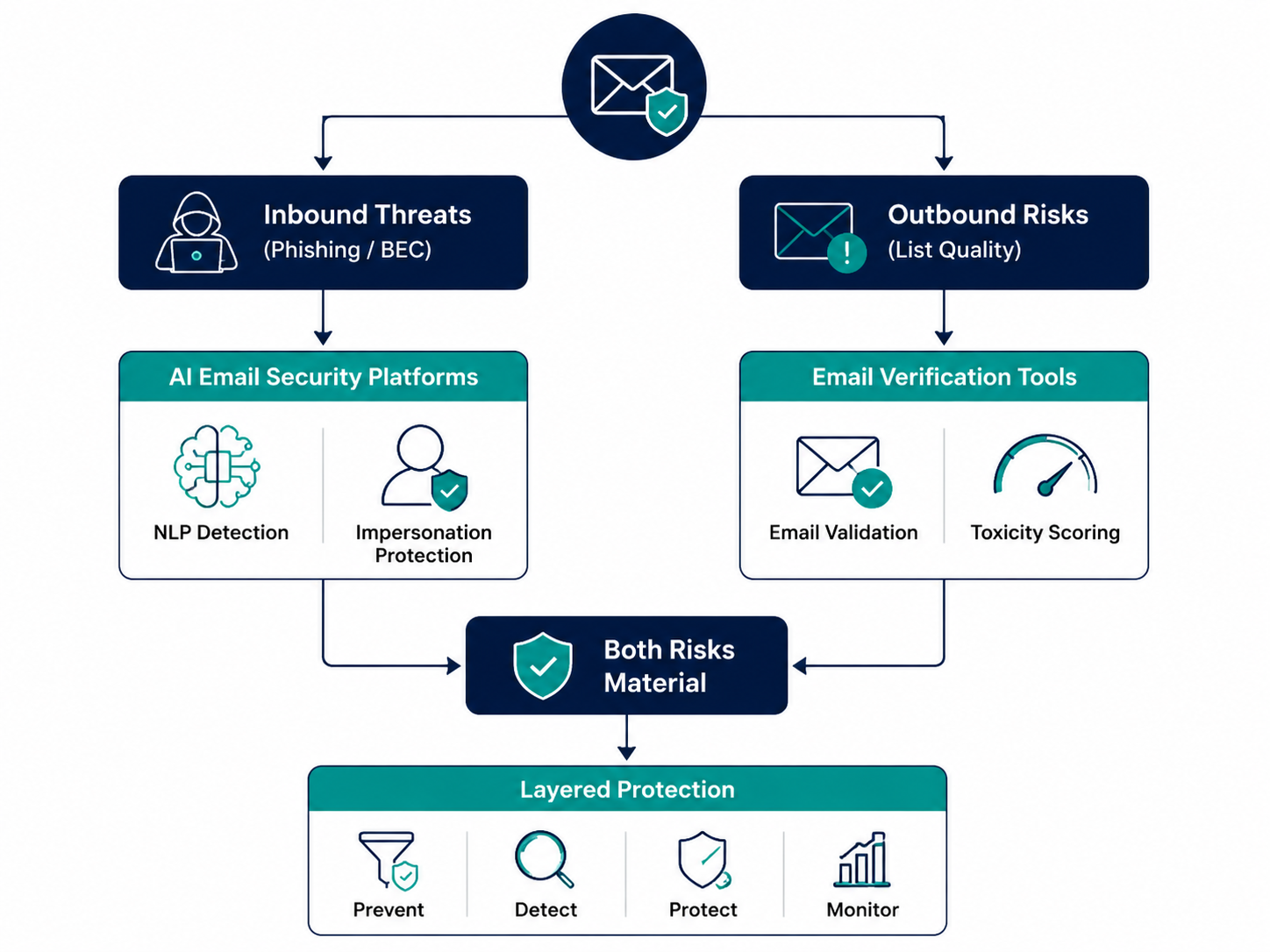
| AI email security platforms | Inbound employee mailboxes and gateways | Phishing, BEC, impersonation, suspicious links, malicious attachments, message intent, domain and sender anomalies | Quarantine, warn, route for review, or stop an employee from trusting a message |
| AI-powered email verification tools | Before upload, before send, inside CRM or ESP list workflows | Syntax, domain status, mailbox validity, disposable or role-based contacts, risky domains, spam trap indicators, toxicity or deliverability risk | Suppress, segment, clean, or investigate contacts before a campaign goes out |
| LLM-based manual checks | Ad-hoc review by a human | Suspicious wording, inconsistencies, unusual requests, mismatched context, possible red flags | Support a one-off judgment, then escalate or verify through another channel |
This is also why many “best email scam tools” comparisons feel unhelpful. A phishing detection platform may be excellent at spotting a fake vendor invoice and completely irrelevant to cleaning an event attendee import. A verification tool may protect a product launch from a toxic list segment and do nothing when a fake agency contact asks finance to update payment details.
If the broader question is how scam verification fits into the full email stack, it helps to separate it from copy generation, send-time optimization, and personalization tools. Those belong in a wider AI email marketing evaluation, like this overview of AI email marketing tools that actually work in 2026. Scam verification is narrower and more operational: it decides whether a message should be trusted or whether a contact should be mailed.
When Inbound AI Email Security Should Come First
Prioritize inbound AI email security if your marketing team handles a steady flow of partner, vendor, sponsor, agency, PR, event, or procurement-adjacent conversations. The risk is not only that someone clicks a bad link. It is that the message looks like part of an existing business process, so it gets moved along by the person trying to keep the campaign on schedule.
Common marketing examples include a “speaker” sending a new file before a webinar, a “sponsor” asking for attendee list timing, a “print vendor” changing invoice instructions, an “agency strategist” sharing a reporting link, or a “partner manager” requesting access to campaign assets. None of these has to look dramatic. The convincing version is the one that borrows the shape of normal work.
AI email security platforms are built for this inbound layer. Check Point, for example, describes phishing detection using more than 50 AI engines and NLP-based impersonation detection.[5] For a marketing team, the important part is not the count by itself. It is the type of signal: language, intent, impersonation patterns, sender behavior, and artifacts that a basic rule or gateway may not evaluate together.
A useful inbound platform should make the next action clear. A warning banner that says “external sender” on every partner email quickly becomes wallpaper. A better result tells the team why a message is suspicious: display-name impersonation, lookalike domain, unusual reply-to address, attachment behavior, malicious link, or language inconsistent with the sender relationship. Marketing ops does not need a threat-hunting console for every campaign. It needs a reliable way to stop the few messages that should not become Slack threads, forwarded approvals, or last-minute asset uploads.
- Choose this first if partner and vendor email volume is high.
- Choose this first if marketing employees approve invoices, file shares, sponsor assets, or platform access requests.
- Choose this first if your team has already seen impersonation, fake file-sharing links, or finance-adjacent requests.
- Choose this first if your current gateway produces too many generic warnings and too little context.
When Outbound Email Verification Should Come First
Prioritize outbound verification if the bigger risk is list quality: acquisition campaigns, cold outreach, event imports, webinar registrations, co-marketing lists, database reactivation, old CRM segments, or any workflow where contacts enter the system faster than a person can review them.
This is where “scam verification” becomes less about spotting a fake message and more about refusing bad inputs. A contact can be syntactically valid and still be dangerous to send to. A domain can exist and still be risky. A list can come from a familiar source and still contain disposable addresses, role accounts, spam trap indicators, or contacts that should never enter a nurture stream.
ZeroBounce is one example in this outbound category. Litmus describes ZeroBounce as offering a 99.6% accuracy guarantee and using machine learning models beyond syntax and MX checks.[6] Bouncer is described in a 2026 comparison as achieving less than 2% unknown results and offering toxicity scoring.[7] Clearout says its AI email verification performs more than 20 validation checks per email.[8] These claims come from product and comparison sources, so a buyer should test them against their own data before treating the numbers as guaranteed in every environment.
For marketing operations, the most useful output is not a pretty score. It is a usable status before the send: deliverable, undeliverable, risky, unknown, disposable, role-based, toxic, or needs review. The team can then suppress the worst contacts, segment uncertain contacts, ask the source owner for clarification, or run a controlled reactivation instead of pushing the whole import into the ESP.
The consequence of skipping this layer usually shows up later, and in a different dashboard. Bounce rates rise. Engagement falls. A domain or IP starts landing worse. Sales asks why nurtures are quieter. Someone then has to trace the problem back through imports, form fills, dedupe rules, enrichment jobs, and campaign membership. That cleanup is much slower than rejecting a bad segment before launch.
This is also the side of the problem that connects most directly to measurable email performance. If you are evaluating AI features through the lens of deliverability, sender reputation, and lift rather than novelty, the discussion overlaps with which AI email features actually move metrics in 2026. Verification is not glamorous, but it is one of the places where an AI-assisted decision can prevent a very ordinary marketing failure.
- Choose this first if high-volume sending is central to your pipeline motion.
- Choose this first if lists are imported from events, partners, enrichment vendors, or old CRM segments.
- Choose this first if deliverability dips usually follow uploads, reactivations, or outbound pushes.
- Choose this first if your current process only checks syntax or obvious bounces.
Where LLMs Fit, and Where They Do Not
ChatGPT, Claude, Grok, and similar LLMs can be useful for a narrow manual task: helping a person inspect a suspicious email when the situation is unclear. A marketer might paste a sanitized message, remove confidential information, and ask the model to identify inconsistencies in tone, request structure, domain naming, urgency, or business context. That can slow down a bad click.
The limits are important. An LLM is not sitting in the mail flow. It does not automatically quarantine messages. It cannot validate the live reputation of every sender, attachment, link, or mailbox unless connected to tools that do that work. It may miss the operational context that makes a request unusual, and it may sound confident about a judgment that still needs out-of-band verification.
A reasonable LLM workflow is supplemental: use it to structure a human review, then verify through a known channel. Call the vendor using the number already in your system. Ask the partner manager through an existing Slack or CRM record. Check the domain in your security tooling. Do not reply to the suspicious thread to confirm whether the suspicious thread is legitimate.
A Practical Decision Framework for Marketing Teams
The buying question is not “Which AI tool catches email scams?” It is “Which failure point happens often enough in our workflow that we need a control there?” The answer usually appears when you map the last few messy incidents: a suspicious vendor email, a bad webinar import, a fake file share, a cold list with too many risky domains, a campaign that landed worse after reactivation, or a partner request that reached the wrong person.
| Your Team Pattern | Most Likely First Layer | Why |
|---|---|---|
| Heavy partner, agency, vendor, PR, sponsorship, event, or procurement-adjacent email | AI email security platform | The risky object is an incoming message that someone may trust, forward, approve, or act on. |
| High-volume acquisition, cold outreach, database reactivation, event uploads, or co-marketing imports | AI-powered email verification tool | The risky object is a contact record that may damage deliverability if mailed. |
| Both high partner communication and high-volume sending | Both layers | Inbound detection and outbound verification protect different systems and different moments. |
| Occasional suspicious emails, low send volume, low list churn | Manual review plus existing security process | The risk may not justify a new dedicated platform yet, but the team still needs an escalation path. |
A partner-heavy team should evaluate inbound tools by asking how well they catch impersonation and explain the reason for intervention. Look for NLP-based impersonation detection, link and attachment analysis, domain lookalike detection, sender behavior signals, and integration with the mailbox environment employees already use. Also ask what happens when a message is suspicious but not obviously malicious. Does it get quarantined, bannered, routed to review, or left for the recipient to interpret?
A high-volume sending team should evaluate verification tools by asking what happens before a list reaches the ESP. The useful checks include mailbox validity, domain status, role accounts, disposable addresses, toxic domains, catch-all handling, unknown-rate management, spam trap indicators, and API or batch workflows that fit the way lists actually enter the database. A tool that only catches invalid syntax is not enough for the kinds of list problems marketers inherit.
A team with both patterns should stop trying to force one category to behave like the other. Use inbound security to protect employees from trusting malicious messages. Use outbound verification to protect sender reputation from bad contacts. The handoff between the two is operational, not technical: suspicious partner list? Verify the sender through a known channel, then verify the list before upload.
What to Ask Vendors Before You Buy
- For inbound tools: Which signals trigger an alert besides malicious links or attachments?
- For inbound tools: Can the platform detect display-name impersonation, lookalike domains, and unusual language or intent?
- For outbound tools: What statuses are returned, and which ones should be suppressed, segmented, or reviewed?
- For outbound tools: How does the product handle catch-all domains, toxic contacts, and unknown results?
- For both: Can the team test the tool on recent real incidents or recent real list imports before committing?
- For both: Who receives the output, and what action are they expected to take within the normal campaign workflow?
That last question is where many tools fail in practice. A score no one owns is just another field. A warning no one trusts becomes background noise. A quarantine no one can review creates campaign delays. A verification result that arrives after upload is too late. The right tool is the one whose output lands with the person who can act before the damage happens.
How the Tool Categories Compare
AI email security platforms are closer to cybersecurity infrastructure. They sit around employee inboxes and mail flow, and their success is measured by whether they stop or flag suspicious inbound messages without burying the team in false alarms. For marketing, the most valuable use case is often impersonation: a message that borrows the identity of a vendor, agency, partner, executive, sponsor, or platform contact.
AI-powered email verification tools are closer to data quality and deliverability infrastructure. They sit before the campaign, before the nurture, or inside the database hygiene process. Their success is measured by how well they identify contacts that should not be mailed or should be treated cautiously. The best fit is not the tool with the most dramatic security language; it is the tool that reduces bad sends without blocking healthy growth.
LLM-based workflows are closer to a staff aid. They can make a human reviewer more systematic, especially when a message feels wrong but the reason is not obvious. They should not be positioned as always-on protection, and they should not receive sensitive customer data, confidential contracts, credentials, or proprietary campaign information unless the organization has approved that use.
| Question | Inbound AI Email Security | Outbound Email Verification | LLM Manual Check |
|---|---|---|---|
| What problem does it solve? | Employees receiving suspicious or impersonated messages | Campaigns sending to risky or invalid contacts | A person needing help reviewing one suspicious message |
| Where does it operate? | Mailbox, gateway, or security layer | CRM, ESP, API, form, or batch list workflow | Chat or assistant interface |
| What does marketing do with the result? | Do not click, do not forward, verify sender, escalate, or quarantine | Suppress, segment, clean, re-source, or review contacts | Verify through a known channel or escalate |
| What does it not solve? | It does not clean campaign lists | It does not stop employees from trusting fake vendor emails | It does not provide always-on detection or list validation |
The layered setup is not automatically the mature answer for every company. A small team with low partner volume and clean first-party opt-ins may not need two new tools this quarter. A partner-heavy field marketing team may need inbound protection before another verification vendor. A demand gen team buying lists, importing event scans, and reactivating old records may need verification before anything else. The order should follow the recurring failure, not the broadest promise on a product page.
The Buying Choice
Start with the side of the workflow where the team is most exposed. If suspicious partner, vendor, agency, sponsorship, or procurement-like messages are the recurring problem, evaluate AI email security platforms first. If bad imports, risky contacts, cold outreach, reactivation, or deliverability cleanup are the recurring problem, evaluate AI-powered email verification first. If both are material, plan for both rather than stretching one tool across a job it was not built to do.
That is the practical answer. Marketing teams are not looking for one universal scam checker. They are choosing controls for two different failure points: trust in incoming messages and safety in outgoing lists.
References
- AI Email Scams and Safeguarding Your Customers — Benchmark Email
- KnowBe4 Phishing Threat Trends Report — U.S. Cybersecurity Institute
- How Does AI Email Security Work in 2026 — and Why Traditional Filters Fail? — StrongestLayer
- Business Email Compromise Statistics 2026 — Hoxhunt
- Top 5 AI-Powered Phishing Detection Tools for 2025 — Check Point
- Guide to Evaluating AI Tools for Email Marketing — Litmus
- 6 Best Email Verification Tools for 2026 (Compared) — Salesforge
- How AI Is Transforming Email Verification in 2026 — Clearout

Comments
Join the discussion with an anonymous comment.