

Facebook and Instagram Outage Playbook for Paid Media Teams
When Facebook and Instagram go down, paid media teams need a repeatable response, not general crisis advice. This 5-phase playbook covers minute-by-minute steps to protect campaigns, recover performance, and document for compensation claims.
The impact of a Facebook and Instagram outage on social media marketing becomes visible in the first hour, before anyone has a clean answer. Ads Manager loads halfway. Delivery columns disagree with spend. A campaign looks live in one tab and uneditable in another. Finance wants to know whether money is still moving. The channel lead wants to know whether to pause. The screenshot that would prove the answer is usually the one nobody took.
That is no longer an edge case worth handling by instinct. On June 12, CNBC reported that Downdetector showed more than 113,000 Facebook outage reports at peak, with more than 10,000 Instagram reports during the same disruption window.[1] Business Insider reported simultaneous issues across Meta services, including Ads Creation, Reporting, and Delivery.[2] Inc. then documented a second outage on June 23 and noted that Meta’s own business status indicators showed high disruptions across Ads Creation, Editing, Reporting, and Delivery during the June incidents.[3] On July 19, Reuters reported 4,808 Facebook and 2,829 Instagram outage reports in the U.S., with intermittent access also reported in Singapore.[4]
Three outages in six weeks changes the operating assumption. A paid media team does not need a motivational crisis memo; it needs a written incident protocol that tells the buyer what to check, what to freeze, what to capture, when to restart, and how to hand a documented claim to the person who owns vendor recovery.
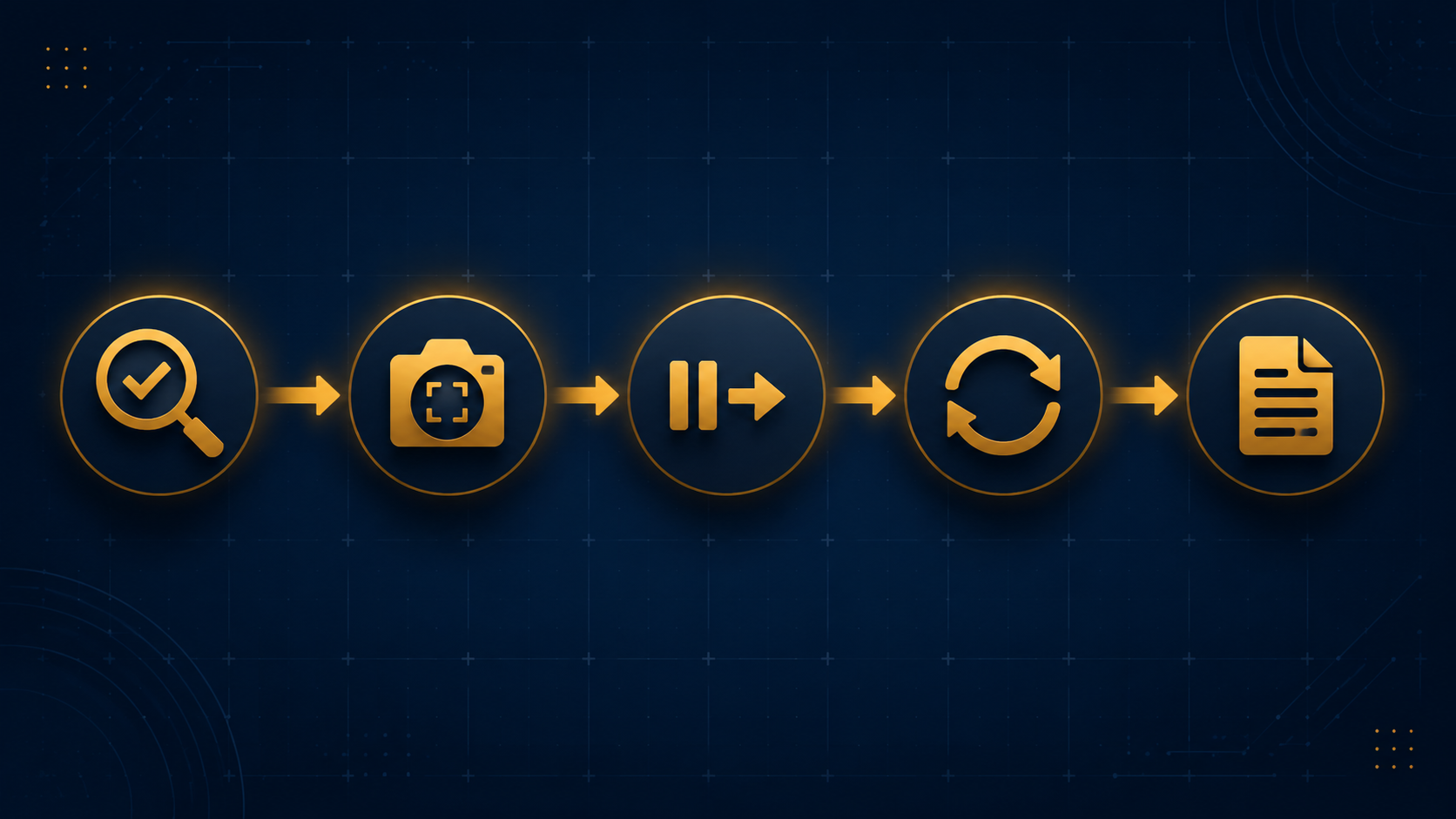
The 5-Phase Outage Workflow
The workflow is simple enough to run under pressure, but strict enough to leave an audit trail:
| Phase | Decision it supports | What must be captured |
|---|---|---|
| 1. Confirm | Is this a Meta-wide failure or an account-specific issue? | Status pages, Downdetector window, affected surfaces, internal account checks |
| 2. Document | Can we prove what we saw before the interface changes? | Campaign IDs, timestamps, spend, delivery state, screenshots, failed actions |
| 3. Pause or redirect | Should budget keep flowing, stop, or move elsewhere? | Manual decisions, owners, time of action, alternative channel changes |
| 4. Recover | How do we restart without compounding auction or learning-phase damage? | Post-outage performance deltas, duplicated campaigns, relaunch timing, exclusions |
| 5. Claim | Is there enough evidence to request case-by-case compensation? | Incident log, IDs, screenshots, performance drops, support ticket history |
For teams that also manage organic response, the broader Instagram outage response protocol can sit beside this playbook. This one is narrower by design: it is for the person responsible for paid delivery, budget control, and the evidence trail.
Phase 1: Confirm Before You Touch the Account
The first job is not to fix the account. It is to determine whether the account is actually the problem. A platform outage, a billing hold, a rejected ad, a broken pixel event, and a permission error can all look like “Meta is down” when the team is moving too fast.
Start a shared incident log as soon as Ads Manager stops being trustworthy. Use UTC or the company’s standard reporting timezone and keep it consistent. The first entries should be boring and exact: who noticed the issue, what screen failed, which business manager or ad account was affected, and whether the failure appeared in creation, editing, reporting, delivery, login, or publishing.
First 15 minutes
- Check Meta’s business status page and record the exact surfaces marked degraded or disrupted.
- Check Downdetector or another outage-reporting source for Facebook, Instagram, Messenger, and Ads-related complaints.
- Ask one teammate on a different network or device to reproduce the issue; do not rely on one browser session.
- Open the affected ad account in a second browser profile or private window to separate cached interface issues from platform failure.
- Check whether only one client, one catalog, one pixel, one payment method, or one business manager is affected.
The June 12 incident is the useful model here because the consumer-facing outage and business-tool degradation overlapped. A team that only checked whether Facebook and Instagram loaded for users would have missed the operational issue: Business Insider reported problems with Ads Creation, Reporting, and Delivery, while Inc. pointed to Meta business status indicators showing high disruption across Ads Creation, Editing, Reporting, and Delivery.[2][3]
Minutes 15 to 30
By minute 30, the incident owner should be able to say one of three things: this is likely platform-wide, this appears isolated to our account, or the evidence is mixed. “Mixed” is an acceptable answer if the log shows why. What is not acceptable is a confident Slack update based on one frozen dashboard.
- If Meta status indicators and external reports align, classify the event as a suspected platform incident.
- If only one account is affected, check billing, account quality, permissions, product catalog status, pixel or Conversions API health, and recent automated rule changes.
- If delivery is visible but reporting is delayed, label the risk separately: spend may continue while measurement is unreliable.
- If editing and pausing fail, escalate internally because the team may not be able to stop spend through the normal interface.
Phase 2: Document While the Evidence Still Exists
Documentation is not admin work after the emergency. It is part of spend control. The useful screenshot is the one taken before columns refresh, before Meta backfills reporting, before someone duplicates the campaign, and before the team forgets which ad set was impossible to pause.
Capture the account-level view first, then move downward. Each screenshot should include the visible timestamp if possible, the account name or ID, the campaign or ad set ID, delivery status, budget, spend, results, cost per result, purchase value or lead value where applicable, and the error state. If the interface blocks an action, screenshot the attempted action and the error, not just the dashboard.
| Evidence | Why it matters later |
|---|---|
| Campaign, ad set, and ad IDs | Support and finance cannot investigate a vague campaign name after the structure changes. |
| Pre-outage performance window | A claim needs a baseline, not just a bad day. |
| Spend during the suspected outage | This is the core exposure if delivery continued while control or reporting failed. |
| Failed pause, edit, publish, or reporting actions | These show loss of operational control, not merely lower performance. |
| Meta status page and third-party outage reports | They connect the account symptoms to the wider disruption window. |
| Internal decisions and approvers | They show why the team paused, waited, redirected, or restarted. |
The log should also separate facts from interpretation. “10:14: Ads Manager returns error when pausing ad set 238…” is a fact. “Meta wasted our budget” is a conclusion that may or may not survive the performance data. Keep both out of the same cell.
This is where general outage-cost statistics can help with leadership, but they should stay in their lane. ITIC’s 2024 downtime report found that more than 90% of enterprises said hourly downtime costs exceeded $300,000.[5] Uptime Institute figures cited by SQ Magazine put more than half of organizational outages above $100,000 in cost.[6] Cockroach Labs’ State of Resilience 2025, a vendor-published survey of 1,000 tech executives fielded before the 2026 Meta outage cluster, reported that all surveyed companies experienced outage-related revenue loss and that 84% lost at least $10,000.[7] Those numbers justify preparation. They do not calculate the cost of a specific Meta Ads outage.
Phase 3: Pause, Redirect, or Wait
The worst outage decision is often the half-decision: nobody pauses, nobody redirects, and everyone assumes somebody else is watching spend. Assign one incident owner for paid media, one approver for budget moves, and one person to keep the log clean. If the same person must do all three, write that down too.
The decision depends on what is degraded. If reporting is delayed but editing still works, the team may pause only the campaigns with unacceptable exposure: uncapped prospecting, volatile Advantage+ structures, sale-period pushes, or launches without reliable off-platform confirmation. If editing and pausing are degraded, the priority shifts from optimization to evidence and escalation because normal controls may not function.
- Pause when spend risk is high, reporting is unreliable, and the team can still execute the pause cleanly.
- Redirect when another channel has live creative, clean tracking, and a budget ceiling that will not create a second incident.
- Wait when delivery appears stable, the budget is capped, the campaign is not time-sensitive, and the evidence does not yet justify intervention.
- Escalate when pausing, editing, or publishing fails and spend exposure remains uncertain.
Redirection should be operational, not aspirational. Moving budget to search, email, affiliate, or another paid social channel only helps if the campaign, creative, audience, tracking, and owner already exist. If the backup channel requires a fresh build during the outage, the team is no longer containing risk; it is launching under impaired visibility.
For teams that use Meta automation heavily, the decision should also account for what the system might do after the outage. Advantage+ and other automated delivery systems can make budget movement harder to inspect in real time. A separate Meta AI advertising audit is not part of the outage call, but the outage log should note which campaigns used automated placements, budgets, creative, or audience expansion.
Phase 4: Recover Without Relaunching Into the Mess
The platform coming back online is not the same as the account being healthy. Reporting may backfill unevenly. Campaigns can come out of the incident with broken momentum. Automated delivery may need time to re-stabilize. The post-outage window is where teams often create a second performance problem by relaunching everything at once.
Start recovery with a read-only pass. Do not duplicate, restart, or raise budgets until the team captures the first stable view of performance after the outage. Compare the affected window with a relevant pre-outage baseline: same daypart where possible, same campaign objective, same attribution view, and the same conversion source. The purpose is not to produce a perfect incrementality study. It is to identify which campaigns stayed intact, which stalled, and which are unsafe to restart without changes.
Smart Marketer recommends duplicating and restarting underperforming campaigns after Meta outage incidents, and that tactic has been repeated across multiple outage playbooks.[8] Treat it as a recovery option, not a reflex. Duplication can help when an affected campaign remains stuck, delivery does not normalize, or performance is materially worse after the platform returns. It can also reset useful learning history, complicate reporting, and create overlapping auctions if the original campaign is still active.
| Post-outage condition | Recovery move |
|---|---|
| Campaign delivery and CPA return close to baseline | Leave structure intact and continue monitoring. |
| Reporting is still unstable | Delay structural changes and rely on backend sales, lead, or revenue data where available. |
| Campaign remains under-delivered after the outage clears | Consider duplication, but document the original campaign ID and the new campaign ID. |
| Original and duplicate could compete | Pause or budget-limit one side before testing the restart. |
| Launch was time-sensitive and missed its window | Reforecast rather than forcing the same spend into a shorter period. |
There is also an auction-timing constraint. Russell Herder advises waiting at least 24 hours after a platform outage before launching campaigns to avoid competing in bid auctions inflated by pent-up advertiser activity.[9] That does not mean every evergreen campaign must stay dark for a full day. It does mean new launches, major budget increases, and aggressive catch-up spending should be challenged unless there is a business reason stronger than “we lost time.”
If leadership asks for a recovery plan, give them a recovery sequence rather than a promise:
- Confirm Meta status indicators and account actions are stable.
- Capture the first post-outage performance snapshot before making changes.
- Compare affected campaigns against pre-outage baselines and backend revenue or lead data.
- Restart only the campaigns that need intervention; do not bulk-duplicate the whole account.
- Hold major launches or budget surges until the auction environment and reporting stabilize.
Phase 5: Prepare the Claim Without Assuming a Refund
Compensation is possible, not automatic. The useful stance is documentation-dependent: if Meta support or an account representative will consider outage-related losses, the team should be ready with campaign IDs, screenshots, timestamps, and performance evidence. If no compensation is available, the same packet still supports internal finance review and the incident postmortem.
Do not send a claim that says the platform was down and performance was bad. Send a packet that reconstructs the incident. The strongest version ties the public or platform-status disruption window to the specific account symptoms: failed pause attempts, degraded reporting, delivery anomalies, spend during the affected period, and post-outage performance deterioration that required recovery action.
| Claim packet section | Minimum contents |
|---|---|
| Incident summary | Date, timezone, affected account IDs, incident owner, and business impact statement. |
| External corroboration | Meta status screenshots, Downdetector window, and credible reporting that matches the disruption period. |
| Account evidence | Campaign, ad set, and ad IDs; screenshots; failed actions; delivery and reporting states. |
| Financial exposure | Spend during the suspected outage, baseline performance, affected revenue or lead metrics where available. |
| Recovery actions | Pauses, redirects, duplicated campaigns, relaunch timing, and owners who approved each action. |
| Requested review | A case-by-case request for investigation or credit, without stating compensation as an entitlement. |
The claim handoff should happen soon after recovery, while the log is still readable and the people involved remember what they did. Waiting a week usually means the screenshots are scattered, duplicate campaigns have renamed themselves into ambiguity, and the budget conversation has shifted from evidence to memory.
What the Postmortem Should Actually Answer
A useful postmortem does not need theater. It needs a timeline. What happened at 9:07? Who checked status at 9:14? Which campaigns were still spending at 10:32? Which actions failed? Which campaigns were duplicated? Which budget was redirected? Which evidence was missing when the claim packet was assembled?
Small businesses and social-first teams feel outages outside Ads Manager too. TIME’s reporting on the October 2021 global outage described how dependent some small businesses had become on Facebook and Instagram for customer contact and sales activity.[10] AP News has similarly covered the need for backup plans when social platforms fail.[11] That context matters, but for paid media operations it should become a concrete readiness check: can the team still communicate, sell, measure, and redirect without relying on the same platform that just failed?
The postmortem should produce updates to the operating routine, not just a recap. Add missing campaign-ID exports to the daily workflow. Store standard Ads Manager column presets for outage screenshots. Pre-approve budget thresholds for pause or redirect decisions. Keep a backup-channel owner listed in the incident template. Maintain a clean map of automated campaigns, catalog campaigns, high-spend ad sets, and sale-period launches.
Recurring Meta outages are now a paid media risk to rehearse, document, and close out. The team that wins the next incident may not be the team with the cleverest workaround. It will be the team that can show what happened, what it controlled, what it could not control, and what evidence it preserved before the interface changed again.
References
- Meta's social networks recover after brief outage, CNBC, June 12, 2026
- Meta Says Instagram and Facebook Are 'Coming Back' Online After Morning Outage, Business Insider, June 2026
- Meta Went Down Twice in 11 Days. The Outages Exposed a Risk Many Businesses Ignore, Inc., June 2026
- Users of Meta's Facebook, Instagram report suffering some outages, Reuters, July 19, 2026
- ITIC 2024 Hourly Cost of Downtime Report, ITIC, 2024
- Internet Outage Statistics 2026: Frequency, Cost and Causes, SQ Magazine
- The State of Resilience 2025 Reveals the True Cost of Downtime, Cockroach Labs
- How to Handle a Meta Outage: 5 Steps to Protect Your Business, Smart Marketer
- How to Navigate Through Platform Outages, Russell Herder
- Facebook and Instagram Outage Put Small Businesses at Risk, TIME, October 2021
- Social media outages hurt small businesses — so it's important to have a backup plan, AP News

Comments
Join the discussion with an anonymous comment.