
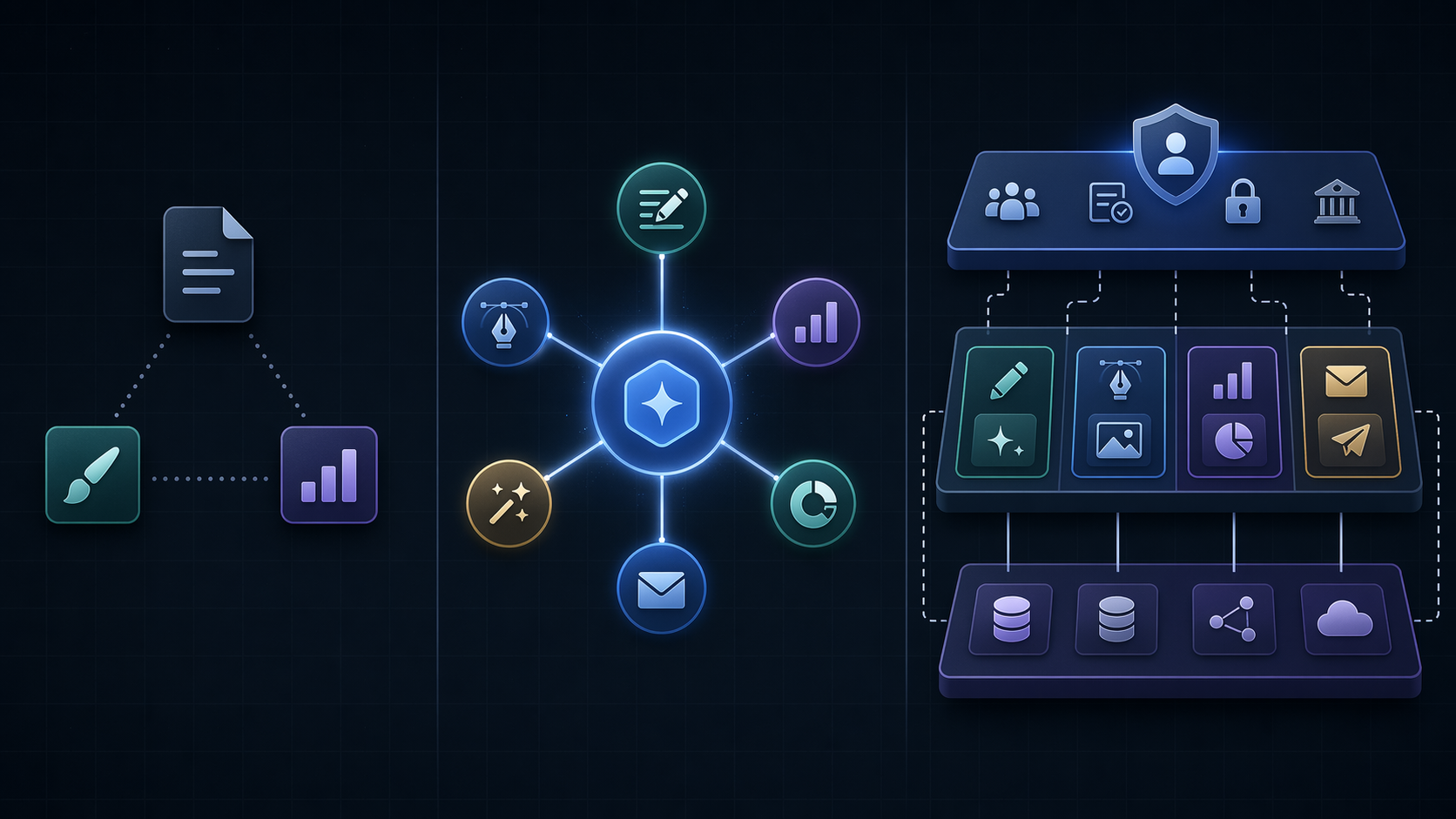
AI Marketing Stack Architecture
Confused about whether to consolidate into one AI workspace or mix point solutions? This comparison breaks down the three stack architectures for 2026—budget starter, mid-market workspace, and enterprise governed—with real pricing, integration costs, and a decision framework for teams of 3–50.
Marketing Categories
⚠ Notable Limitations
Integration burden, credit pricing risk, redundancy risk, workflow maturity requirements
A marketing AI tool stack comparison in 2026 starts with an uncomfortable fact: the market now has more than 15,384 martech solutions, while daily AI use is already normal for most marketing teams.[1][2] The hard decision is no longer whether the team should use AI. It is whether the team should keep adding point tools, consolidate into a workspace, or run a governed hybrid without creating a maintenance problem that shows up three months after procurement.
That distinction matters because adoption and integration are not the same thing. Averi’s 2026 report cites 91% of marketing teams using AI daily, but only 32% saying AI is fully integrated into their workflows.[2] That gap is where duplicated subscriptions, rebuilt brand prompts, disconnected approvals, and surprise credit bills live.
| Stack architecture | Typical monthly cost | Likely fit | Integration burden | Pricing risk | Workflow maturity required |
|---|---|---|---|---|---|
| Budget starter point-solution stack | $70–150/mo | Solopreneurs, founders, and micro-teams that need research, writing, and design without heavy workflow automation | Low technical burden at first, but high manual handoff burden as work moves between tools | Moderate; low list prices can hide usage limits, credits, and upgrade pressure | Low to moderate; works when one person can remember the context and enforce consistency |
| Mid-market workspace plus specialist add-ons | $600–1,500/mo | Teams of 3–10 that need shared brand memory, repeatable campaigns, and fewer context resets | Moderate; fewer core systems, but still requires ownership of connectors, permissions, and add-ons | Moderate to high; seat, credit, and connector pricing need scrutiny | Moderate; someone must maintain prompts, workflows, templates, and governance |
| Enterprise governed or hybrid stack | $3,000–8,000+/mo | Teams of 30+ with multiple channels, regions, brands, compliance needs, and revenue operations oversight | High; useful only when ops capacity exists to manage data flows, redundancy, and access | High; credit models, custom integrations, unused seats, and overlapping tools can compound quickly | High; requires dedicated marketing ops, RevOps, or platform ownership |
The table is more useful than another list of tools because most teams are not choosing between Jasper, Canva, HubSpot Breeze, Surfer, Averi, Marketing Mary, Zapier, or a dozen other names in isolation. They are choosing an operating model. A five-person team can buy twelve AI subscriptions and still have no durable system for brand voice, approvals, reporting, or campaign memory.
The three architectures behave differently after purchase
The budget starter stack is usually a cluster of point solutions: one tool for writing, one for design, one for SEO or research, maybe one for automation. It looks rational on a spreadsheet because each individual line item is small. It also gives the team room to swap tools quickly if a category changes or a specialist product pulls ahead.
The weakness appears in the work between tools. Brand context gets pasted into one interface, rewritten for another, and forgotten in a third. A campaign brief may start in a document, move into a writing assistant, pass through an SEO platform, get redesigned in a creative tool, and then land in a CRM or CMS with no shared memory of the decisions made along the way. That can be fine for a founder or a two-person team. It becomes expensive when five people are each maintaining their own version of the brand.
The mid-market workspace model tries to solve that problem by keeping more of the campaign lifecycle inside one environment. The appeal is not that a workspace writes magically better copy. It is that the system can retain brand instructions, campaign context, assets, audience definitions, and workflow states across repeated tasks. Averi reports that workspace platforms with persistent context save teams 10–15 hours per week compared with fragmented point-solution workflows.[2] That is a vendor-published claim, so it should not be treated as a universal guarantee. It is still directionally credible because anyone who has watched a team rebuild the same prompt pack in five places knows where those hours go.
The trade-off is dependency. Once a workspace becomes the team’s planning surface, prompt library, approval path, and asset handoff layer, switching costs rise. It may also be weaker than a specialist tool in narrow jobs. An SEO team that lives inside search intent, SERP comparison, and on-page scoring may still prefer a Surfer-style specialist. A design-heavy team may keep a Canva-style workflow because the interface matches how non-designers actually produce assets. Consolidation is not a reason to flatten every specialized job into one general interface.
The enterprise governed or hybrid stack is a different animal. It usually combines core systems, specialist AI tools, workflow automation, analytics, CRM or CDP infrastructure, governance controls, and sometimes custom model or data layers. This can be the right architecture for a 30-, 50-, or 200-person organization with compliance needs, regional teams, and real RevOps oversight. It is a poor fit for a small team that wants enterprise architecture without enterprise maintenance capacity.
Heinz Marketing describes the 2026 consolidation push as a structural response to CFO scrutiny, RevOps governance, and native AI features becoming embedded inside platforms teams already own.[4] That does not mean every team should buy one mega-platform. It does mean every tool now has to defend its place against three questions: what work does it uniquely do, what system does it need to connect to, and who owns it after the demo is over?
Subscription price is only the visible part of stack cost
A tool stack rarely fails because the first invoice was too high. It fails because the real cost was split across seats, credits, integrations, admin time, duplicate functionality, and workflow repair. A $99 tool can be cheap. Four $99 tools that all need brand setup, permissions, QA, prompt maintenance, and reporting exports are not automatically cheap.
Integration cost is the line item most teams underestimate. Averi’s 2026 data estimates a custom API connection at $6,375, based on 51 developer hours at $125 per hour, while built-in connectors can reduce setup to 30–90 minutes.[2] The exact figure will vary by team, vendor, and data environment. The lesson is narrower and more useful: if a tool requires custom integration to participate in the core workflow, its price is not its subscription fee.
Credit pricing deserves the same treatment. Marketing Mary cites Zylo analysis indicating that nearly 31% of AI marketing tool vendors use hybrid seat-plus-credit pricing models, which makes true cost harder to predict.[3] HubSpot Breeze is one reported pricing example: Customer Agent conversations are priced at 100 credits each, roughly $1 per conversation.[3] That may be perfectly reasonable in a controlled use case. It is dangerous when a team compares list prices while ignoring the variable meter.
The more operational question is where the saved time goes. If a workspace reduces weekly context rebuilding, does the team ship more campaigns, improve QA, shorten review cycles, or simply absorb more requests from leadership? Time savings only become business value when someone changes capacity planning, output expectations, or quality control. Otherwise, the stack has produced relief that finance cannot see.
How to choose by team size, budget tolerance, and workflow maturity
The cleanest buying rule is not “point solutions are bad” or “platforms are better.” The buying rule is that architecture should match the team’s ability to operate it. A three-person team with loose processes should not buy like a 30-person team with governed revenue operations. A 10-person team should not mistake tool accumulation for maturity.
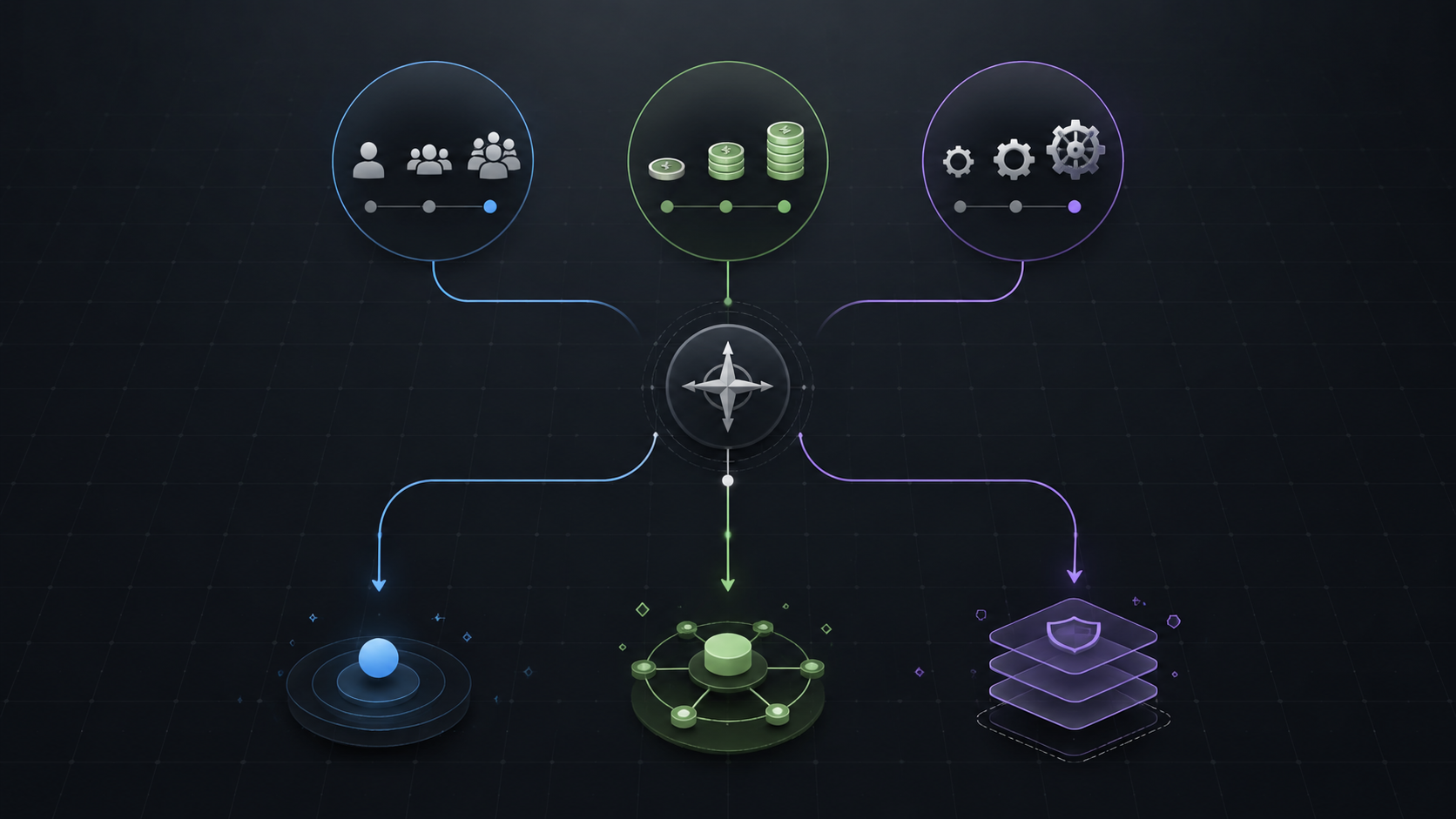
Teams of 1–3: keep the stack small and manual on purpose
For a solo marketer, founder-led team, or very small marketing function, a budget starter stack can be the right answer. The team may need fast research, first-draft copy, social variations, simple design, and perhaps SEO checks. It probably does not need a governed AI workspace, custom integrations, or elaborate approval routing.
The mistake at this stage is buying workflow automation before the workflow exists. If one person can still hold the campaign context, manage the brand voice, and move assets manually without losing work, the team can tolerate fragmentation. The procurement test is simple: each tool should have a named job, a weekly use case, and a clear owner. If the answer is “we might use it for campaigns later,” wait.
Teams of 3–10: consolidate the center, keep specialists only where they earn it
This is the range where the stack usually starts to hurt. Writers want a better drafting environment. SEO wants specialist analysis. Paid media wants ad variations. Leadership wants faster campaigns. Someone in marketing ops or management is left explaining why the team now pays for overlapping AI writing, content planning, image generation, automation, and reporting features.
For most teams in this size band, the better pattern is a consolidated center of gravity plus a small number of specialist tools. The workspace carries shared brand context, campaign planning, reusable prompts, intake, approvals, and content handoff. Specialist tools stay only where they produce a materially better result or a materially faster workflow than the workspace can provide.
- Keep the specialist SEO tool if it changes briefs, prioritization, or ranking outcomes in ways the workspace cannot.
- Keep the design tool if non-designers can produce approved assets faster there than inside the core platform.
- Keep the automation layer if it removes recurring handoffs instead of merely connecting tools that should not have been separate.
- Remove duplicate writing assistants unless they serve distinct teams, channels, or governance needs.
The available data points to 3–5 well-chosen tools as the usual sweet spot for SME teams, while large enterprise stacks can include more than 120 platforms.[1] That comparison should not be read as a moral judgment against large stacks. A global enterprise has needs a small team does not. For an SME, each tool beyond five needs a stronger burden of proof because the next subscription also adds training, permissions, QA, procurement, and renewal work.
Teams of 10–30: buy for governance before the stack becomes political
At this size, the issue is less “which AI tool is best?” and more “who is allowed to create the official version of work?” Without governance, different functions start optimizing locally. Content buys one assistant. Demand generation buys another. Sales enablement creates its own prompts. Product marketing keeps separate messaging documents. Paid media tests AI creative tools without feeding learnings back into the main campaign process.
A mid-market workspace or tightly managed hybrid usually makes sense here, but only if ownership is explicit. Someone has to maintain brand voice libraries, approve prompt changes, manage user access, review tool overlap, and decide when a specialist add-on is still earning its keep. Without that owner, consolidation becomes a cleaner invoice rather than a better operating model.
This is also where ROI conversations should move beyond activity metrics. If the team needs a broader measurement frame, the useful question is not whether AI produced more drafts; it is what changed in campaign throughput, review time, paid media learning cycles, sales enablement reuse, or content refresh capacity. A companion framework on where AI returns actually show up across sales and marketing can help separate visible tool usage from measurable revenue-workflow impact.
Teams of 30–50: hybrid can work, but redundancy has to be managed actively
By 30–50 people, a pure workspace may not cover every requirement. Regional variation, compliance, paid media complexity, CRM dependencies, analytics needs, and specialist production workflows can justify a hybrid stack. But hybrid is not a synonym for “everyone keeps what they like.” It is an architecture with a core system, defined specialist layers, data movement rules, and renewal discipline.
The redundancy risk is real. withMuse.ai’s enterprise guide cites McKinsey data that 30–45% of large-enterprise AI marketing spend is functionally redundant.[5] That figure applies to large enterprises, not automatically to a 40-person marketing team. Still, the pattern is easy to recognize at smaller scale: multiple tools generate copy, multiple tools summarize research, multiple tools produce social variations, and none of them owns the approved workflow.
A governed hybrid should make redundancy visible before renewal season. Map every tool to the job it performs, the system it connects to, the team that owns it, and the metric that justifies keeping it. If two tools do the same job, the team should know whether the duplication is intentional specialization or accidental accumulation.
The practical procurement frame
Before comparing vendors, compare the work. A defensible 2026 stack decision starts with five questions that expose whether the team needs flexibility, memory, governance, or a specialized interface.
| Decision question | If the answer is yes | Architecture implication |
|---|---|---|
| Does the team rebuild brand, audience, or campaign context in multiple tools every week? | Shared memory is probably worth paying for. | Move toward a workspace center. |
| Does one specialist tool materially improve channel performance or production speed? | Do not remove it just to make the stack look tidy. | Keep it as a governed point solution. |
| Will a core workflow require custom API work? | Treat integration engineering as part of TCO, not an implementation footnote. | Prefer built-in connectors or budget for engineering. |
| Does the vendor price by seat plus usage credits? | Model best-case, expected, and high-usage scenarios before procurement. | Compare total monthly exposure, not list price. |
| Is there a named owner for prompts, templates, permissions, renewals, and overlap? | The stack can support more complexity. | Hybrid or workspace expansion may be viable. |
| Is no one available to maintain workflows after launch? | The team should avoid fragile complexity. | Stay smaller, consolidate, or delay the purchase. |
This is where many AI tool comparisons go soft. They compare features that demo well but do not ask who updates the workflow when the campaign structure changes, who audits stale prompts, who checks whether two tools now perform the same function, and who explains variable usage charges to finance. Those are not administrative details. They are the difference between a useful AI stack and a subscription pile.
A team that wants to go deeper on implementation patterns can use the recurring patterns behind successful AI marketing projects as a second pass. The same theme shows up there: AI value depends less on isolated tool capability than on whether the surrounding workflow can absorb and govern the output.
Where consolidation has limits
Consolidation is the better default for many teams in 2026, but it is not a universal rule. A workspace can reduce context switching and preserve brand memory, yet still be mediocre at a specialized job. SEO, design, paid media testing, analytics, lifecycle orchestration, and sales enablement may each have workflows where a focused product gives the team better controls, better data, or a faster interface.
The right test is not whether a point solution is redundant in theory. The test is whether it changes the work enough to justify the extra ownership. If the SEO tool changes content prioritization, brief quality, internal linking decisions, and refresh strategy, it may deserve its place. If it is only another place to generate title ideas, it probably does not.
The same standard applies to workspace platforms. A platform that remembers brand context but still requires the team to export, reformat, reapprove, and manually report everything has not removed enough hidden work. A platform that centralizes the wrong workflow can make the stack cleaner while making the team slower. Procurement should reward reduced operational drag, not broader feature menus.
A procurement-ready answer for most teams
For most marketing teams of 3–50, the strongest 2026 answer is fewer, better-integrated tools rather than continued accumulation. The likely shape is a workspace or central operating layer, plus a small set of specialist tools that clearly outperform the center in narrow jobs. For many SME teams, that means staying near the 3–5 tool range unless a specific business case justifies more.
Before buying another AI tool, audit four things: functional overlap, integration burden, credit exposure, and workflow ownership. If the new tool duplicates an existing function, needs custom connection work, carries unpredictable usage pricing, and has no named maintainer, the problem is probably not that the stack is missing one more product. The problem is that the architecture has stopped being managed.
References
- MarTech in 2026: How to Build a Lean, Revenue-Driven Stack — Factors.ai
- 2026 State of Marketing AI Tools — Averi
- Best AI Marketing Tools in 2026: The Complete Comparison — Marketing Mary
- Why Martech Stacks Are Consolidating in 2026 — Heinz Marketing
- The 2026 Enterprise AI Marketing Stack: A Complete Guide for Global Brands — withMuse.ai

Comments
Join the discussion with an anonymous comment.