
AI in Email Marketing: A Complete Practitioner's Guide
A structured reference guide covering how AI applies to email marketing — what tasks it handles well, where it underdelivers, which tool categories exist, and what practitioners need to know before adopting it in their email programs.
Email is where AI's practical value in marketing is most legible. The channel generates measurable signals — open rates, click rates, conversions — at a scale that makes algorithmic optimization tractable. And unlike social or search, the marketer controls the full stack: the list, the content, the timing, and the segmentation logic. That control is exactly what makes AI useful here, and also what makes it easy to misapply.
This guide covers the current state of AI across the email marketing function: what it does reliably, where it still requires significant human judgment, which tool categories you'll encounter, and what to evaluate before committing to any of them. It's written for practitioners who run email programs — not for people deciding whether AI is a good idea in general.
What AI Actually Does in Email Marketing
It helps to separate AI's role in email into distinct task categories, because the maturity level varies considerably across them. Lumping "AI-powered email" into one bucket is how marketers end up with unrealistic expectations in some areas and underuse in others.
Subject Line and Copy Generation
Generative AI — the LLM-based tools integrated into platforms like HubSpot Breeze, Klaviyo AI, and Mailchimp's content optimizer — can produce subject line variants, preview text, and body copy drafts at speed. This is the most mature AI application in the channel.
The practical ceiling: AI-generated copy often lacks the specific product knowledge, brand voice nuance, and timing context that makes email copy actually work. It's a drafting accelerator, not a replacement for a copywriter who knows the audience. Teams that get value here use AI to generate 5–10 variants quickly, then edit down to the one that fits — rather than expecting the first output to be send-ready.
Send-Time Optimization
Most major ESPs now include send-time optimization (STO) as a standard feature. The model analyzes each subscriber's historical open behavior and schedules delivery at the individual level — so a campaign sent "on Tuesday" actually lands in inboxes across a 24-hour window based on per-person predictions.
STO is one of the more reliable AI features in email because it's operating on clean, structured data (timestamps of past opens) and the outcome is easily measurable. The limitation is that it requires sufficient historical data per subscriber — typically 3–6 months of engagement history — to make predictions worth trusting. New lists and reactivation segments get less benefit.
Segmentation and Predictive Scoring
Predictive segmentation uses ML models to classify subscribers by likelihood of purchase, churn risk, or engagement level. Klaviyo's predictive analytics, Salesforce Marketing Cloud's Einstein Engagement Scoring, and similar features output scores that marketers can use as segment criteria.
These scores are only as useful as the downstream action you take with them. A churn-risk segment is valuable if you have a distinct win-back flow; if you don't, the score sits unused. This is where many teams stall — they enable predictive scoring, see the outputs, and then continue sending the same campaigns to everyone anyway.
Automated Flow Personalization
Dynamic content blocks — where the email renders different product recommendations, images, or copy based on subscriber attributes — have existed for years. What's changed is the model sophistication behind the recommendations. Platforms like Braze and Iterable now support real-time personalization that factors in session behavior, not just historical profile data.
A/B and Multivariate Testing Automation
AI-assisted testing goes beyond traditional A/B by running multi-armed bandit experiments that shift traffic toward winning variants in real time, rather than waiting for a test to conclude before applying results. This reduces the revenue cost of running a losing variant over a full test window.
The trade-off: multi-armed bandit approaches optimize for the short-term winner, which can underperform traditional holdout testing when the goal is learning rather than immediate conversion. If you're testing a hypothesis about messaging strategy, a clean A/B with a proper holdout teaches you more.
AI Capability Maturity by Task
Not all AI features in email marketing are equally mature. The table below maps the major task categories against their current reliability level and the primary failure mode practitioners encounter.
| Task | Maturity | What works | Primary failure mode |
|---|---|---|---|
| Send-time optimization | High | Per-subscriber delivery scheduling based on open history | Insufficient historical data on new or inactive subscribers |
| Subject line generation | Medium-High | Rapid variant production for A/B testing | Generic output without brand voice or product specificity |
| Predictive churn scoring | Medium | Identifying at-risk subscribers before unsubscribe | Score goes unused without a distinct win-back flow |
| Product recommendations | Medium | Catalog-based next-purchase prediction for e-commerce | Requires large catalog and transaction history; poor on small lists |
| Automated flow branching | Medium | Behavior-triggered sequences without manual rule-building | Over-automation creates fragmented journeys without clear exits |
| Copy personalization at scale | Low-Medium | Dynamic blocks that vary by segment | Shallow personalization that reads as generic to recipients |
| Deliverability prediction | Low | Pre-send risk scoring for spam filter likelihood | Models lag behind ISP algorithm changes; false confidence risk |
Tool Categories You'll Encounter
The email AI tool landscape splits into three categories with meaningfully different trade-offs. Understanding which category a tool belongs to changes how you evaluate it.
ESP-Native AI Features
Klaviyo, HubSpot, Mailchimp, Braze, Iterable, and Salesforce Marketing Cloud all embed AI features directly into their platforms. The advantages are real: the AI has access to your actual subscriber data, the features are integrated into the sending workflow, and there's no additional integration overhead.
The disadvantage is lock-in. The AI features are only as good as the platform's underlying model, and you can't swap the model independently. If Klaviyo's subject line AI produces mediocre output for your audience, you're working around it, not replacing it.
Standalone AI Copywriting Tools with ESP Integration
Tools like Jasper, Copy.ai, and Anyword connect to ESPs via API or export, letting you generate copy outside the ESP and push it into campaigns. This gives you more model flexibility and often better output quality for copy-specific tasks.
The friction: these tools don't have access to your subscriber data, so they can't personalize at the individual level. They're useful for campaign-level copy generation, not for dynamic content that varies by recipient.
Specialized Email AI Platforms
Phrasee (now part of Jacquard), Persado, and similar tools specialize in AI-optimized email language — specifically, they claim to model which linguistic patterns drive engagement for specific audiences and brands. These are typically enterprise-tier products with significant onboarding requirements.
The value proposition is legitimate for high-volume senders who can run enough campaigns to train the model on their specific audience. For teams sending fewer than 4–6 campaigns per month to lists under 100K, the data volume is rarely sufficient to validate the premium.
What AI Doesn't Handle Well in Email
The honest version of this guide has to include the failure modes, because the vendor materials won't.
- Brand voice consistency. AI-generated copy tends toward a generic register. Fine-tuning or custom instructions help, but maintaining a distinctive brand voice across a high-volume AI-assisted email program requires systematic editorial review — not just a one-time prompt.
- Contextual awareness. AI doesn't know your current inventory levels, a recent PR incident, or a competitor's promotion that just launched. Campaigns generated without this context can be tone-deaf or factually wrong. A human review step before send is non-negotiable.
- List hygiene and deliverability strategy. No AI tool currently makes meaningful decisions about list suppression, sunset policies, or re-permission campaigns. These require judgment about your specific sender reputation, ISP relationships, and business context.
- Cross-channel sequencing. Coordinating email with paid retargeting, SMS, and push based on a subscriber's real-time state is still largely a manual orchestration problem. Platforms claim to solve this; in practice, the logic breaks down at edge cases.
- Compliance and consent management. GDPR, CAN-SPAM, and emerging state-level regulations require human judgment. AI tools don't track consent status, manage unsubscribe flows, or flag compliance risks — that's your responsibility.
Evaluating AI Features Before You Adopt
Most ESP AI features are enabled by default or bundled into existing plans, which means teams often start using them without a clear evaluation framework. Here's what to establish before relying on any AI feature in your email program.
Data Requirements
Every AI feature has a minimum data threshold below which it's essentially guessing. Ask your ESP: how many subscribers, how many historical events, and how many months of data does this feature need to produce reliable outputs? If they can't answer this, the feature isn't mature enough to trust.
Holdout Testing
Before attributing performance improvements to an AI feature, run a holdout group — a segment that doesn't receive the AI-optimized treatment. This is the only way to know whether the feature is actually driving lift or whether you're seeing seasonal variation, list quality changes, or something else entirely.
Platforms rarely make holdout testing easy because it creates the possibility of proving their feature doesn't work. You may need to configure this manually.
Model Transparency
For predictive features — churn scoring, purchase prediction, engagement scoring — ask what signals the model uses and how it weights them. "Proprietary model" is not a useful answer. At minimum, you should know: does it use only your data, or pooled data from other customers? Does it update in real time or on a batch schedule? What's the model's documented accuracy on held-out data?
Implementation Sequence That Works
Teams that try to implement every AI email feature simultaneously usually end up with none of them working well. A staged approach produces better results and gives you clean data to evaluate each feature.
- Start with send-time optimization. It's the lowest-effort, highest-reliability AI feature in email. Enable it, run a holdout for 4–6 weeks, and measure the open rate delta. This gives you a concrete, defensible AI win to build on.
- Add predictive segmentation to one existing flow. Pick a flow where you already have a distinct treatment for different engagement levels — a win-back sequence is ideal. Apply churn-risk scoring to sharpen the entry criteria. Measure conversion rate against the previous 90-day baseline.
- Introduce AI-assisted copy generation for campaign subject lines. Use AI to generate 5–8 variants, select 2 for A/B testing, and track which patterns correlate with open rate lift over time. Build a brand-specific prompt template from the patterns that work.
- Expand to dynamic content blocks only after you've confirmed your segmentation data is clean and your ESP's recommendation engine has sufficient purchase history. Dynamic content with poor underlying data produces worse results than static content.
B2B vs. B2C: Where the Differences Matter
Most AI email features are built and optimized for B2C e-commerce use cases — high-frequency sends, large lists, transaction-based signals. B2B email programs have different constraints that affect which AI features are worth adopting.
| Dimension | B2C Email | B2B Email |
|---|---|---|
| List size | Often 50K–1M+; AI features reach minimum thresholds easily | Often 5K–50K; many AI features underperform at this scale |
| Signal density | High (purchases, browse, cart events) | Low (email opens, content downloads, CRM stage changes) |
| Send frequency | 3–7x per week common; STO highly effective | 1–4x per month; STO impact is smaller |
| Copy personalization | Product-level dynamic content works well | Role/industry personalization requires cleaner CRM data than most B2B teams have |
| Best AI use case | Product recommendations, churn prediction, STO | Subject line testing, intent-based segmentation, meeting-time optimization |
| Biggest risk | Over-automation eroding brand trust | AI copy that sounds generic in a relationship-driven channel |
What Practitioners Get Wrong
A few recurring mistakes show up across teams adopting AI in email, regardless of platform or program size.
- Treating AI output as final. AI-generated subject lines and copy should be treated as first drafts, not final copy. The teams that get the most value edit outputs rather than publishing them directly.
- Enabling features without a measurement plan. Turning on send-time optimization or predictive segmentation without a holdout group means you can never know if it's working. Define success metrics and a comparison baseline before enabling, not after.
- Conflating automation with AI. Rule-based automation ("send this email 3 days after purchase") is not AI. Many ESP features marketed as AI are sophisticated automation with no predictive model involved. This matters when evaluating claims.
- Ignoring data quality. AI features are only as good as the data they run on. A predictive churn model trained on a list with 40% invalid emails will produce unreliable scores. List hygiene is a prerequisite, not an afterthought.
- Over-personalizing to the point of creepiness. Hyper-specific personalization — referencing a subscriber's browsing behavior from two days ago in the subject line — can feel invasive rather than relevant. The threshold varies by audience, but it's worth testing explicitly.
Compliance and Risk Considerations
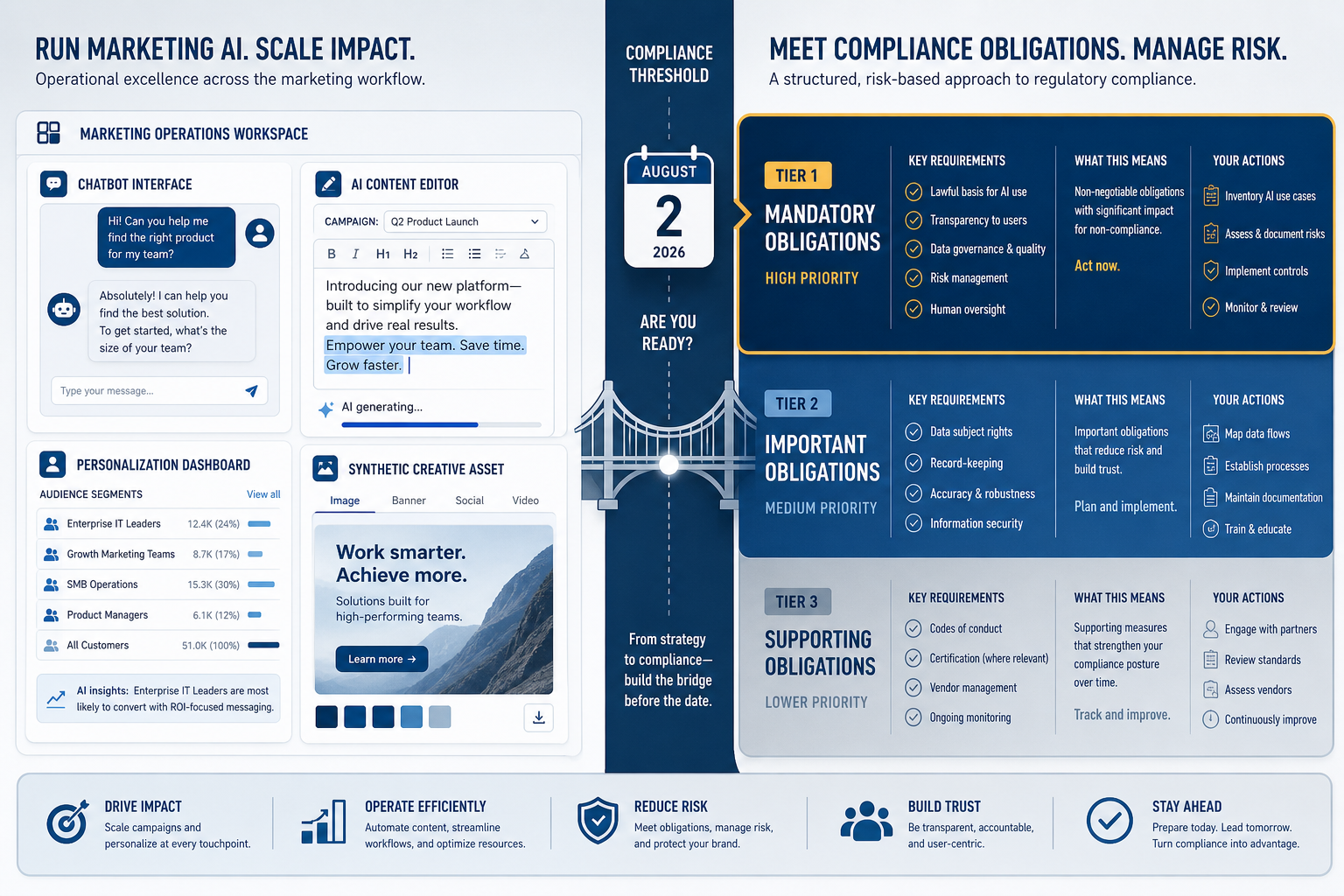
AI-generated email content doesn't change your compliance obligations — it just creates new ways to violate them at scale.
The FTC has also signaled increasing attention to AI-generated marketing content that makes claims about products or services. If your AI copy generation workflow produces promotional claims, those claims carry the same substantiation requirements as manually written copy.
Realistic Outcomes to Expect
Vendor case studies routinely report 20–40% open rate improvements from AI features. These figures are almost always from optimal conditions: large lists, clean data, high send frequency, and a comparison baseline that didn't use any optimization. Real-world results are more modest.
A reasonable expectation for a well-implemented AI email program, measured against a proper holdout:
- Send-time optimization: 5–15% open rate lift on engaged segments with sufficient history
- AI-assisted subject line testing: 3–8% improvement in winning variant performance over manually written control
- Predictive segmentation applied to win-back flows: 10–25% improvement in reactivation rate, depending on list health
- Product recommendation personalization: 8–20% click-to-conversion lift in e-commerce contexts with adequate catalog and transaction data
What to Read Next
This guide covers the function-level landscape. For more specific implementation detail, the workflows and tool profiles on this site go deeper on individual tasks:
- If you're choosing between ESP-native AI and a standalone copy tool, the AI email personalization tool comparisons cover the specific trade-offs with pricing and integration data.
- If you want step-by-step process for building an AI-assisted email sequence, the email workflow playbooks include exact prompt templates and configuration steps.
- If you've hit a failure mode — AI copy that degraded deliverability, personalization that produced complaints — the adoption and risk records document these patterns with practitioner accounts.
Comments
Join the discussion with an anonymous comment.