
How to Build Gemini Gems for Custom Ad Creative Workflows
This guide walks through building custom Gemini Gems for ad creative tasks using Google's Persona/Task/Context/Format framework. You'll get three copy-paste-ready instruction templates and learn what output quality depends on, plus the real limitations to expect.
- Platform
- Google Gemini
- Creative type
- text copy
- Last reviewed
- 0-07-25
The useful promise of Gemini Gems for ad creatives is narrow: stop rebuilding the same PPC prompt every time you need draft copy, landing page notes, or competitor messaging analysis. A Gem can preserve the role, task, brand context, and output format you normally paste into Gemini manually. That is worth having. It also means the same weak setup will keep producing the same almost-usable output, which is the kind that burns the most time.
Google’s official creation path is simple enough to finish in one focused pass: open Gem manager, choose New Gem, give it a name, write instructions, optionally upload knowledge files, test the preview, then save it.[1] Google also frames good Gem instructions around four parts: persona, what you want it to do, context, and format.[2] For ad creative work, that framework matters more than the Gem itself.
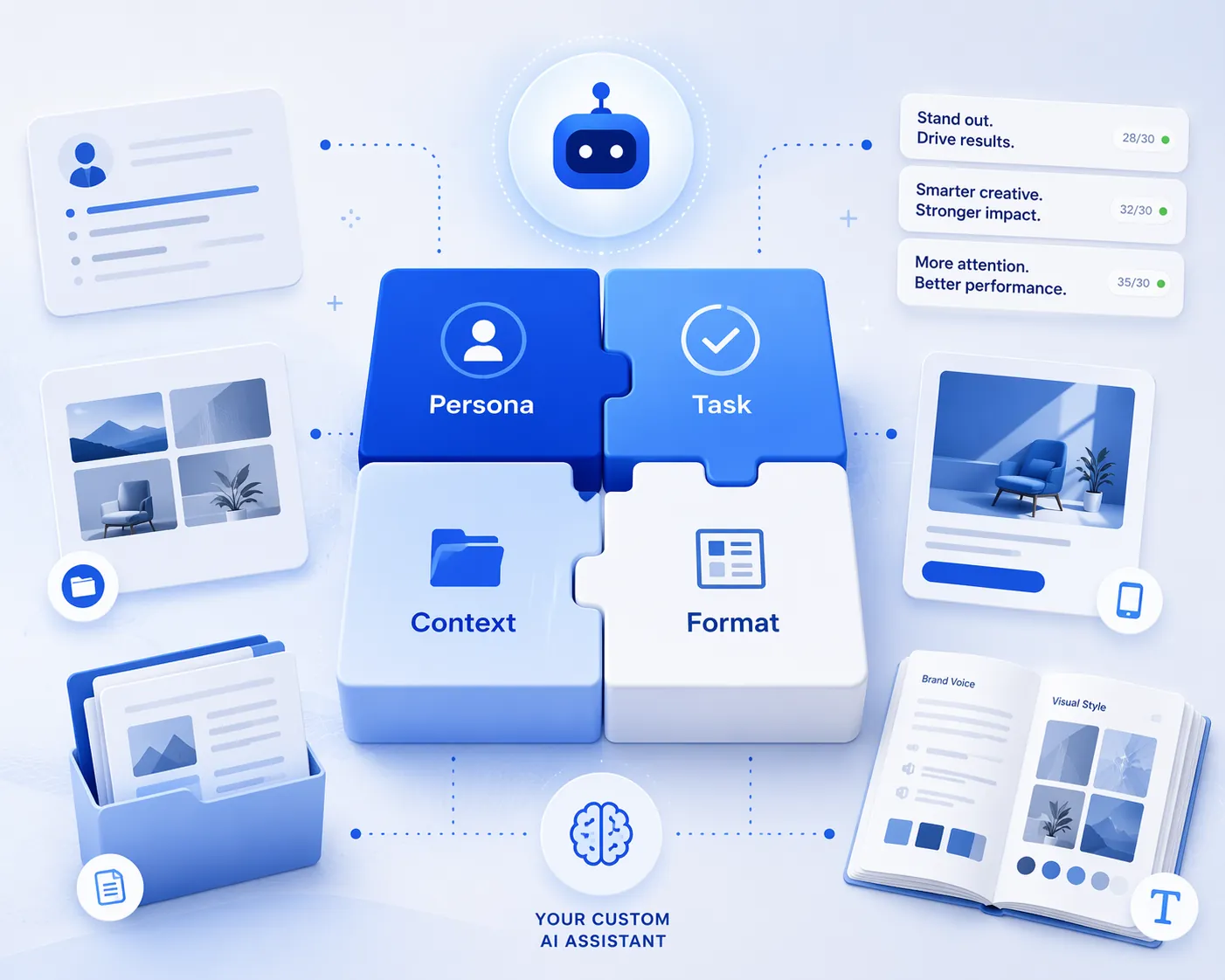
If you already use a manual prompt workflow, a Gem is not a new strategy layer. It is persistence. The same logic behind ChatGPT ad copy prompt templates still applies; the difference is that Gemini lets you save the setup as a reusable assistant instead of re-pasting the framework each session. That makes Gems more useful for repeated, bounded jobs than for one-off creative exploration.
Build the Gem before you ask for ads
Start in Gemini’s Gem manager, not in a blank chat. The official flow is: create a new Gem, name it, write the instructions, add knowledge files if needed, test the preview, and save.[1] For a PPC workflow, the preview step is not cosmetic. It is where you find out whether the Gem understands character limits, brand exclusions, and the difference between a claim you can run and a vague benefit line someone will need to rewrite.
| Gem setup field | What to put there for ad creative work |
|---|---|
| Name | Use a job-specific name such as RSA Ad Copy Generator, Landing Page Copy Analyzer, or Competitor Messaging Decoder. |
| Instructions | Write the saved operating prompt using Persona, Task, Context, and Format. |
| Knowledge files | Upload brand style guides, product specs, offer notes, tone-of-voice documents, approved copy examples, and compliance notes. |
| Preview | Run the exact type of request you will use later, then check limits, claims, tone, and output structure. |
| Save | Save only after the Gem returns a format you can review quickly without cleaning up the same mistakes. |
Google specifically recommends using files such as brand style guides, product specs, and tone-of-voice documents to give a Gem better context.[2] That advice is not a nice-to-have for PPC. The difference between generic ad copy and something worth editing usually lives in those files: approved product language, offer constraints, vertical-specific language, proof points, words legal dislikes, and examples of copy that already passed review.
If you are trying to decide whether Gems belong in a broader paid-search AI stack, keep the scope modest. They sit closer to a reusable text assistant than to Google’s campaign automation products. For that broader distinction, this site’s tracker on Google AI advertising results versus marketing claims is the better comparison point.
Use Persona, Task, Context, and Format like an operator, not a prompt collector
The Persona/Task/Context/Format structure is easy to repeat and easy to under-specify. “You are a PPC expert” is not a persona. It gives the model a costume, not a job. A useful ad-creative persona defines the buying environment, the channel, and the standard of review.
Persona: define the reviewer the Gem should imitate
For ad creative, the Gem should behave less like a copywriter brainstorming taglines and more like a channel-aware draft reviewer. Tell it which platform it is writing for, what kind of account it supports, and what tradeoffs matter. A B2B LinkedIn lead-gen account, a local services Google Ads account, and an ecommerce Meta account should not share the same default creative instincts.
Persona:
You are a PPC ad creative assistant for a performance marketing team. You write and review paid media copy for Google Ads, Meta, and LinkedIn. You prioritize platform compliance, clear offer language, buyer intent, and brand consistency over clever phrasing. You flag unsupported claims instead of inventing proof.
Task: make the job narrow enough to verify
A Gem that “helps with ads” will drift. A Gem that generates RSA variants, audits a landing page against ad-message continuity, or decodes competitor positioning has a checkable job. Hovsol’s PPC-specific Gem guidance is useful here because it moves from general prompting into ad tasks such as RSA generation and landing page review, including Google Ads headline and description limits.[3] Treat that kind of template as a starting point, then harden it against your own account rules.
Task:
When I provide campaign inputs, generate first-draft ad creative for the specified platform. Respect the platform character limits I provide in the instructions. Return only copy that can be reviewed for upload. If required information is missing, ask concise clarification questions before writing.
Context: stop making the buyer re-enter the account every session
This is where Gems earn their keep. The re-prompting tax is not typing “write 15 headlines.” It is re-entering the category, offer, audience, objections, tone, proof, exclusions, and examples every time. Google’s own tips call out knowledge uploads for brand and product context; use that feature before judging output quality.[2]
- Brand style guide: voice, banned words, capitalization preferences, punctuation rules, and preferred phrasing.
- Product or service spec: features, use cases, pricing notes, integrations, audience fit, and real differentiators.
- Offer sheet: promotion details, eligibility, deadlines, landing page URL, and terms that cannot be softened.
- Approved ad examples: headlines and descriptions that survived review and performed well enough to keep.
- Compliance notes: claims that require substantiation, prohibited phrasing, industry restrictions, and review sensitivities.
Format: force an output you can actually QA
Format is where many AI ad workflows quietly fail. If the Gem returns a few punchy lines in paragraph form, someone still has to count characters, separate variants, find duplicates, and decide which claims are unsupported. Tell it to return tables, include character counts, label angles, and mark any assumption. The point is not prettier output. It is faster rejection.
Format:
Return a table with these columns: Asset Type, Copy, Character Count, Messaging Angle, Notes. Keep each asset within the stated platform limit. Do not include duplicate ideas with minor wording changes. Add a short QA section listing any assumptions, missing inputs, or claims that need verification.
This is also where a Gem differs from a normal saved document. Once the format instruction is inside the Gem, every future request inherits it. That makes it comparable to other structured AI creative workflows, including C-R-T style ChatGPT workflows, but with the setup embedded in the assistant rather than pasted each time.
Template 1: RSA Ad Copy Generator
This is the Gem to build first because RSA copy exposes sloppy prompting immediately. Hovsol’s PPC guide uses the operational Google Ads limits that matter for this task: up to 15 headlines at 30 characters each and up to 4 descriptions at 90 characters each.[3] Fello AI’s ad prompt reference also documents Google Ads headline and description limits, along with Meta and LinkedIn truncation points that are useful when adapting the same Gem family across platforms.[5]
Gem name:
RSA Ad Copy Generator

Instructions:
Persona:
You are a Google Ads RSA copy assistant for a PPC practitioner. You write first-draft search ad assets that are clear, specific, brand-safe, and ready for human review. You prioritize character-limit compliance, search intent, offer clarity, and message variety. You do not invent proof, pricing, guarantees, awards, customer counts, or performance claims.

Task:
When I provide campaign inputs, generate Responsive Search Ad assets for Google Ads.

Required output:
- 15 headlines, each 30 characters or fewer.
- 4 descriptions, each 90 characters or fewer.
- Each asset must include a character count.
- Avoid near-duplicate headlines.
- Include a mix of messaging angles: keyword relevance, problem/solution, offer, proof if supplied, audience fit, urgency if supplied, and brand differentiator.
- If a requested proof point is missing, leave it out and flag it in QA notes.

Context:
Use the uploaded brand, product, offer, compliance, and approved-copy files as the default source of truth. If my campaign brief conflicts with uploaded files, flag the conflict before writing. Maintain the brand voice unless I explicitly ask for a test variation.

Input I will provide:
- Product or service:
- Campaign goal:
- Target audience:
- Search intent or keyword theme:
- Landing page URL or summary:
- Offer:
- Required terms:
- Excluded terms:
- Proof points allowed:
- Competitors to avoid naming:
- Tone preference:

Format:
Return two tables.

Table 1: Headlines
Columns: #, Headline, Character Count, Angle, Notes

Table 2: Descriptions
Columns: #, Description, Character Count, Angle, Notes

Then add a short QA section:
- Assets over limit: list any, or write None.
- Unsupported claims removed: list any, or write None.
- Missing inputs that would improve the draft: list only important items.

Rules:
Do not exceed character limits. Do not use vague claims such as "best," "leading," "game-changing," or "revolutionary" unless the uploaded files support them. Do not pad output with weak variants just to reach 15 headlines; if you cannot produce 15 distinct compliant headlines, provide the strongest set and explain why.
The last rule is there because “15 headlines” is not the same as 15 usable headlines. A Gem that returns 15 compliant but interchangeable lines still leaves the buyer doing the real work. In preview, test the Gem with a real campaign brief and look for three failure modes: over-limit assets, repeated phrasing with minor swaps, and unsupported superiority claims.
BrightBid’s prompt comparison found that Gemini, then tested in its Bard-era lineage and later updated, handled Google Ads character limits more reliably on the first attempt than ChatGPT in that test.[4] That is useful directional evidence, not a permanent model ranking. Both products have changed too much to treat a 2023-style head-to-head as a standing verdict. The practical takeaway is smaller: still tell the Gem the limits, still ask for counts, and still verify before upload.
Template 2: Landing Page Copy & Structure Analyzer
A landing page Gem should not try to become a CRO oracle. Its better job is to compare the page against the ad promise, buyer intent, and missing information. Hovsol’s PPC guidance includes landing page Gem task framing, while Ramin Zamani’s marketing Gem examples show how a landing-page-oriented prompt can be packaged into a reusable assistant.[3][6]
Gem name:
Landing Page Copy & Structure Analyzer

Instructions:
Persona:
You are a PPC landing page review assistant. You evaluate landing page copy from the perspective of paid traffic arriving from Google Ads, Meta, or LinkedIn. You focus on message match, clarity, offer continuity, friction, and whether the page supports the claims used in ads.

Task:
When I provide a landing page draft, URL summary, or pasted page copy, analyze whether the page supports the campaign brief and ad messaging. Do not claim to measure conversion performance. Identify copy and structure issues that a media buyer or copywriter can fix before launch.

Context:
Use uploaded brand, product, offer, audience, compliance, and approved-copy files as the source of truth. If page copy makes claims not found in the uploaded files or campaign brief, flag them as unsupported.

Input I will provide:
- Platform:
- Campaign goal:
- Target audience:
- Ad promise or key message:
- Offer:
- Landing page copy or section outline:
- Required proof points:
- Known objections:

Format:
Return the review in this structure:

1. Message Match
- What the ad promises.
- Where the page confirms it.
- Where the page drifts or creates mismatch.

2. Above-the-Fold Review
- Headline clarity.
- Subhead support.
- CTA clarity.
- Missing trust or proof.

3. Offer and Proof
- Supported claims.
- Unsupported claims.
- Proof points that should be added if available.

4. Friction Notes
- Sections that may be unclear, redundant, or out of order.
- Questions a visitor may still have before converting.

5. Rewrite Suggestions
Return up to 5 specific copy edits. For each, include: Current Issue, Suggested Rewrite, Reason.

Rules:
Do not invent conversion-rate impact. Do not invent customer quotes, statistics, badges, awards, or guarantees. If the page lacks enough information, ask for the missing section instead of guessing.
This Gem becomes more useful when paired with the RSA Gem. Feed it the ad promise, not just the landing page text. The check you want is whether the click has somewhere to land: same offer, same audience, same proof, same level of specificity. If the ad says “for multi-location dental groups” and the page says “for growing teams,” the Gem should flag the dilution before the campaign spends money teaching you that lesson.
Template 3: Competitor Ad Messaging Decoder
A competitor messaging Gem should summarize patterns, not scrape the web or pretend it knows live auction dynamics. Give it pasted ad copy, landing page excerpts, or notes from a legitimate ad library review. Its job is to separate observable messaging from your response options.
Gem name:
Competitor Ad Messaging Decoder

Instructions:
Persona:
You are a paid media messaging analyst. You review competitor ad and landing page copy to identify positioning patterns, offer strategies, proof claims, audience signals, and gaps. You distinguish observed copy from interpretation.

Task:
When I provide competitor ad examples, landing page excerpts, or messaging notes, decode the messaging strategy and suggest response angles for our campaigns. Do not claim frequency, spend, performance, targeting, or auction behavior unless I provide that data.

Context:
Use uploaded brand, product, audience, offer, and positioning files to compare competitor messaging against our actual differentiators. Do not recommend copying competitor claims. Identify where our brand can be clearer, more specific, or better supported.

Input I will provide:
- Our product or service:
- Our target audience:
- Our current offer:
- Competitor name or category:
- Competitor ad copy or landing page excerpts:
- Channel observed:
- Notes from review:

Format:
Return a table with these columns:
Competitor Message, Message Type, Implied Audience, Proof Used, Offer Used, Risk If We Ignore It, Possible Response Angle

Then add:
- Repeated themes across examples.
- Unsupported or vague competitor claims.
- White-space angles we can test.
- Copy tests to brief next.

Rules:
Label interpretation clearly. Do not infer performance. Do not use competitor trademarked phrases in suggested copy. Do not invent competitor claims beyond the text I provide.
This is also the point where LinkedIn and Meta constraints matter if you turn the analysis into test copy. Fello AI’s prompt reference notes Meta primary text truncation at 125 characters and LinkedIn intro text truncation after 150 characters.[5] If you are building a separate Gem for LinkedIn testing, connect it to a testing workflow like the B2B LinkedIn AI ad creative testing playbook rather than asking one generic Gem to cover every channel equally.
Preview the Gem like you are trying to break it
The preview step is where you decide whether the Gem saves time or just hides cleanup behind a friendlier interface. Use a real campaign brief, not a toy prompt. Include one awkward constraint: a required phrase that is long, an offer with legal wording, a proof point that should not be exaggerated, or a brand term the model may want to “improve.”
- Run the Gem with a real brief and no extra hand-holding beyond the normal campaign inputs.
- Check every character count manually on the first few runs, especially RSA headlines and descriptions.
- Mark duplicate ideas, not just duplicate wording.
- Look for claims that sound useful but are not supported by uploaded files.
- Edit the Gem instructions, not only the one-off output, when the same mistake appears twice.
The instruction edits should be blunt. If the Gem exceeds limits, add “discard and rewrite any asset over the limit before returning the final table.” If it keeps writing generic benefits, add banned vague phrases and require a source from the uploaded context for proof claims. If it produces five versions of the same headline, require distinct messaging angles before it writes.
For a hypothetical example, suppose the Gem writes “Trusted Platform for Growth” five different ways. Do not fix those five lines manually and move on. Add an instruction that each headline must map to a different angle, such as audience, pain point, offer, feature, integration, urgency, or proof. The next draft may still need judgment, but it should not need the same cleanup.
What to upload as knowledge files
Knowledge files are the least glamorous part of the setup and the part most likely to improve output. Google’s Gem tips explicitly mention using files such as brand style guides, product specs, and tone-of-voice documents.[2] In PPC terms, that means the Gem should know what the account lead already knows before it starts writing.
| Upload | Why it matters | What to watch |
|---|---|---|
| Brand style guide | Keeps tone, naming, capitalization, and word choice consistent. | Remove outdated positioning before upload. |
| Product specs | Gives the Gem real features and use cases instead of generic benefits. | Separate confirmed capabilities from roadmap items. |
| Offer details | Prevents softened or incorrect promo language. | Include eligibility, dates, exclusions, and required wording. |
| Approved ad examples | Shows what usable copy looks like for the account. | Do not upload only top performers if they rely on old offers. |
| Compliance notes | Helps the Gem avoid claims that create review or legal problems. | Make unsupported claim categories explicit. |
| Landing page copy | Improves message match between ads and destination. | Flag pages that are being rewritten or tested. |
Do not treat uploads as a junk drawer. A bloated knowledge set with old offers, conflicting positioning, and retired product names creates the same problem as a messy account structure: every output requires interpretation. Smaller and cleaner beats larger and stale.
Where the savings are real, and where they are not
The time savings come from not re-entering the operating prompt, not from removing review. Otti.life reports that well-configured Gems can save 2 to 8 hours per week per person, but that is a vendor-reported estimate from its own workflow material, not a controlled benchmark.[7] Treat it as color, not a forecast.
A more defensible expectation is task-specific: the Gem should reduce setup time on repeated first drafts and structured analysis. It should not be expected to pick the strategy, know which offer deserves budget, or decide whether a claim is legally safe. If you need a broader tool choice, use a decision framework like the AI copywriting tool use-case tracker rather than forcing Gems into every creative task.
There is also no need to turn this into a Gemini-versus-ChatGPT identity contest. If you like pasting a fresh framework into ChatGPT and changing it heavily each time, that workflow remains valid. Gems are more attractive when the job repeats: RSA drafts for the same account, recurring landing page audits, weekly competitor message reviews, or channel-specific copy variants with stable rules.
Current limitations to keep in the workflow
Gems are text assistants, not full creative automation systems. Zapier’s overview notes practical limitations including no public sharing, no API connections, and no image generation, with access centered on Gemini’s web and mobile app experience.[8] Those limits matter for ad creative teams because the handoff still sits with a person or another tool.
- No image generation: use Gems for text briefs, copy, analysis, and creative direction, not finished image assets.
- No API connections: do not expect the Gem to push assets into Google Ads, Meta, LinkedIn, a spreadsheet, or a QA system.
- No public sharing: plan for individual or internal use rather than distributing a public Gem template.
- Feature movement: verify current Gemini behavior before documenting the workflow for a team, because Gems have changed quickly across 2024, 2025, and 2026.
There is one more practical wrinkle: availability and subscription details can change. If the question is whether a paid Gemini tier is needed for a specific advertising use case, check current product access against a maintained benchmark such as Google Gemini tiers for advertisers before building a team process around it.
The right role for Gemini Gems in ad creative is persistent, text-only assistance for repeatable work. Build the Gem with a specific persona, a narrow task, clean context files, and a strict output format. Then preview it harshly. If it saves you from retyping the same setup and gives you drafts that are easier to reject, edit, and upload, it is doing its job. The strategy still belongs to the person reading the table.
References
- Create and manage Gems, Google Gemini Help, https://support.google.com/gemini/answer/15235603?hl=en
- 5 tips to help you get started with Gems in Gemini, Google Blog, https://blog.google/products-and-platforms/products/gemini/google-gems-tips/
- Gemini Gems PPC Guide, Hovsol Technologies, https://hovsoltechnologies.com/blogs/gemini-gems-ppc-guide/
- How to Do AI Prompts for PPC Ad Copy, BrightBid, https://brightbid.com/blog/how-to-do-ai-prompts-for-ppc-ad-copy/
- 7 Effective Gemini Prompts for Ad Copy That Actually Bring Results, Fello AI, https://felloai.com/7-effective-gemini-prompts-for-ad-copy-that-actually-bring-results/
- Gemini Gems for Demand Gen Marketers, Ramin Zamani, https://raminzamani.com/blog/gemini-gems-for-demand-gen-marketers/
- Gemini Gems to Level Up Your AI Workflow: 20 Use Cases to Cut Repetitive Task Time by 70%, Otti.life, https://www.otti.life/post/gemini-gems-to-level-up-your-ai-workflow-20-use-cases-to-cut-repetitive-task-time-by-70
- How to use Gemini Gems, Zapier, https://zapier.com/blog/gemini-gems/
This is a record of what happened and what was tested, not legal advice. Compliance determinations require qualified counsel.