
AI email deliverability optimization
Senior email marketers: AI deliverability tools are real, but they can't fix broken authentication, purchased lists, or high complaint rates. This article explains the 2026 enforcement landscape, what AI can actually do, and a diagnostic workflow to fix fundamentals before adding AI.
Marketing Categories
⚠ Notable Limitations
Cannot override failed authentication or high complaint rates
AI Can't Save You From a Broken Foundation
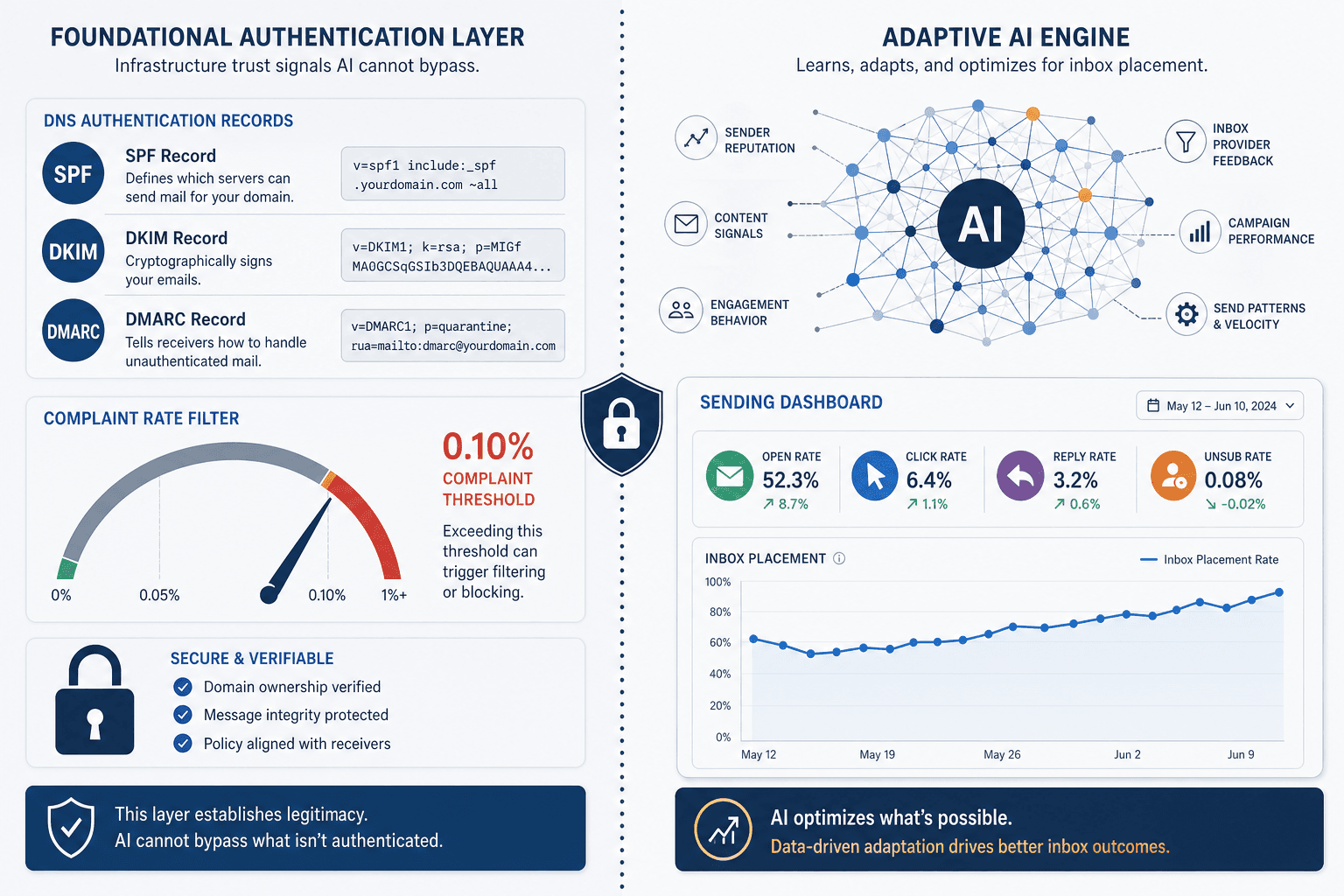
Every week, another email marketer asks why their AI-generated subject lines and send-time optimization haven't improved inbox placement. The answer is uncomfortable but necessary: no machine learning model can override a broken authentication record, a purchased list, or a spam complaint rate above 0.30%. The 2026 enforcement environment has made this truth inescapable.
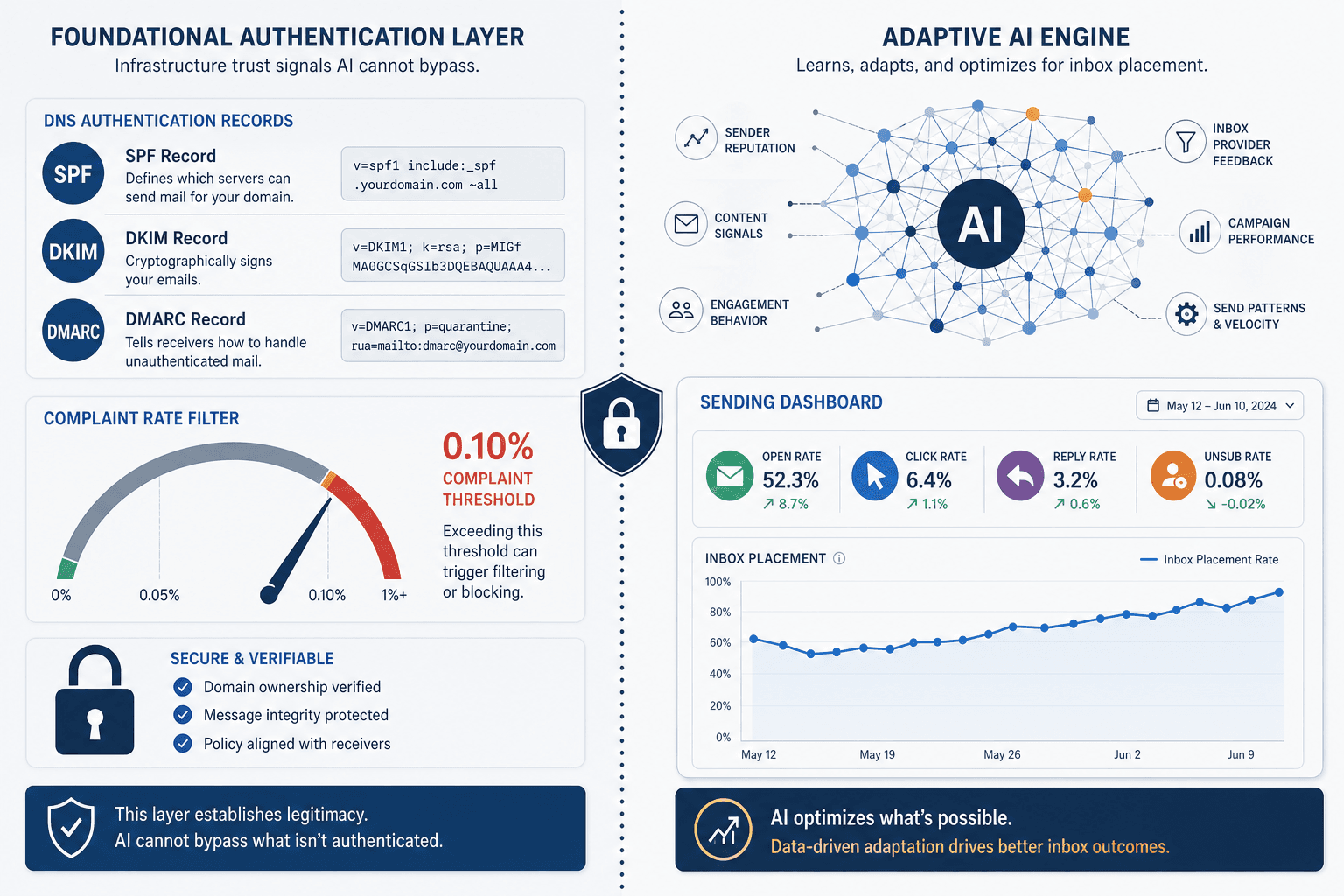
According to DigitalApplied, fully authenticated domains achieve an 89.1% inbox placement rate, while domains without SPF, DKIM, and DMARC land at just 44.2% — a gap of 45 percentage points that no AI optimization can close. If your authentication is incomplete, every dollar spent on AI deliverability features is spent on the wrong layer.
The 2026 Enforcement Landscape: What Gmail and Yahoo Actually Require
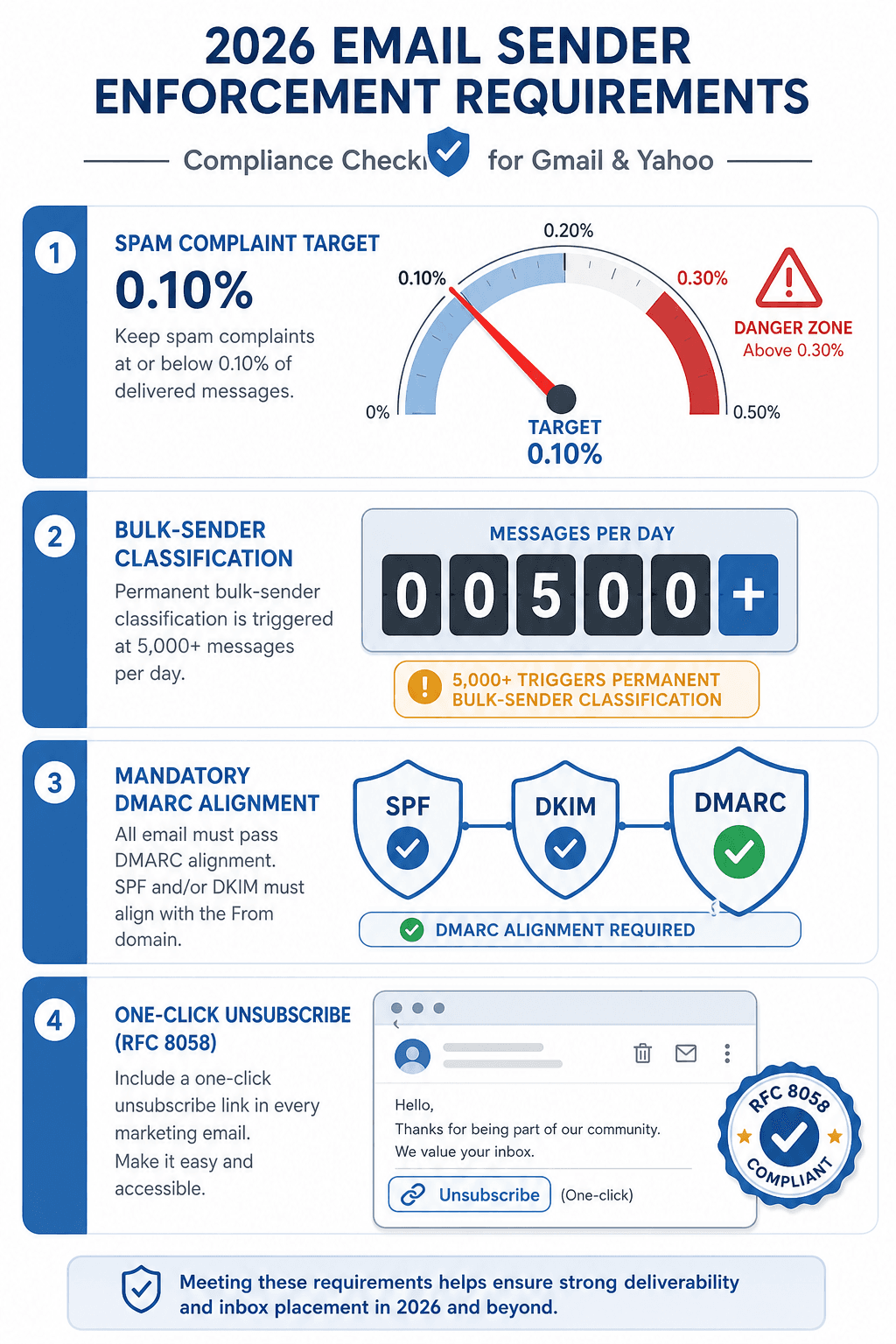
Gmail and Yahoo's 2024 requirements have been fully enforced for over a year, and the 2026 landscape has solidified into a set of non-negotiable thresholds. These apply to any sender sending 5,000 or more messages per day — a classification that is permanent once triggered, according to Chronos Agency's guide. The following table summarises the key requirements.
| Requirement | Threshold / Rule | Source |
|---|---|---|
| SPF / DKIM / DMARC with alignment | Valid DNS records for all sending domains; DMARC alignment is mandatory | Chronos, Blueshift |
| Spam complaint rate target | Below 0.10% recommended; 0.30% is an emergency ceiling | Gmail Postmaster Tools, Relationship One |
| Bulk sender classification | Permanent once you exceed 5,000 messages per day | Chronos |
| One-click unsubscribe (RFC 8058) | Mandatory for marketing email; missing it increases spam reports | Blueshift, Relationship One |
| TLS encryption | Required for all email transmission | HubSpot |
| 7-day recovery exclusion | If complaint rate hits 0.30%, domain is ineligible for mitigation for at least 7 consecutive days below threshold | Chronos |
The 0.30% complaint threshold is not a suggestion. When a sender's rate reaches or exceeds that level, Google's delivery mitigation systems stop attempting to improve placement for at least seven consecutive days below the threshold. AI cannot shorten this timeline. The only path to recovery is to stop sending to complaining recipients, improve targeting, and wait.
What AI Email Deliverability Tools Can Actually Do
Let's be clear: AI deliverability tools are not useless. When your foundation is solid, they add genuine value. The key is understanding where that value lives and where it ends. Here are the capabilities that reliable tools can provide.
- Surface reputation shifts earlier than manual monitoring. Platforms like HubSpot's Deliverability Protection System auto-trigger at a 5% hard bounce rate, alerting you before a decline becomes a crisis. MailReach and similar tools provide real-time reputation monitoring across multiple blacklists and feedback loops.
- Automate suppression before complaints compound. AI can segment non-openers, hard bounces, and spam complainers from your active lists faster than manual rules, preventing repeated sends to disengaged contacts that drive up complaint rates.
- Score content for engagement risk. Models can evaluate subject lines, preheader text, and body copy for language patterns that historically correlate with spam complaints or low engagement, allowing you to adjust before send.
- Optimize send timing at the individual contact level. By analyzing past open and click patterns, AI can schedule each email for the moment that contact is most likely to engage — reducing the risk of hasty deletion or spam marking. DigitalApplied reports that AI-optimized subject lines increase open rates by 26%, and combining this with send-time optimization lifts open rates by 38–42%.
- Pace warm-up adaptively. New sending domains or IPs need gradual volume increases. AI-powered warm-up tools adjust send pace based on real-time reputation signals (opens, replies, spam rescues), rather than following a fixed calendar schedule.
These capabilities are valuable, but they all depend on a prerequisite: that your authentication, consent, and complaint rates are already within acceptable bounds. For a concrete example of how engagement scoring interacts with campaign performance, see our case study on AI Email Personalization in B2B SaaS, which shows how the same principles apply when measurement frameworks are honest about what AI actually contributed.
What AI Cannot Do: The Hard Limits
These are the boundaries that no tool, model, or vendor can cross. If your team is dealing with any of these issues, AI deliverability optimization is premature.
These limits are not theoretical. The Relationship One analysis corroborates each point: AI cannot override failed authentication, neutralize damage from purchased lists, or compensate for complaint rates above 0.30%. If your team is facing any of these, the solution is not a tool — it's a fundamental audit of your email program.
A 5-Step Diagnostic Workflow: Where Is Your Deliverability Stack Actually Failing?
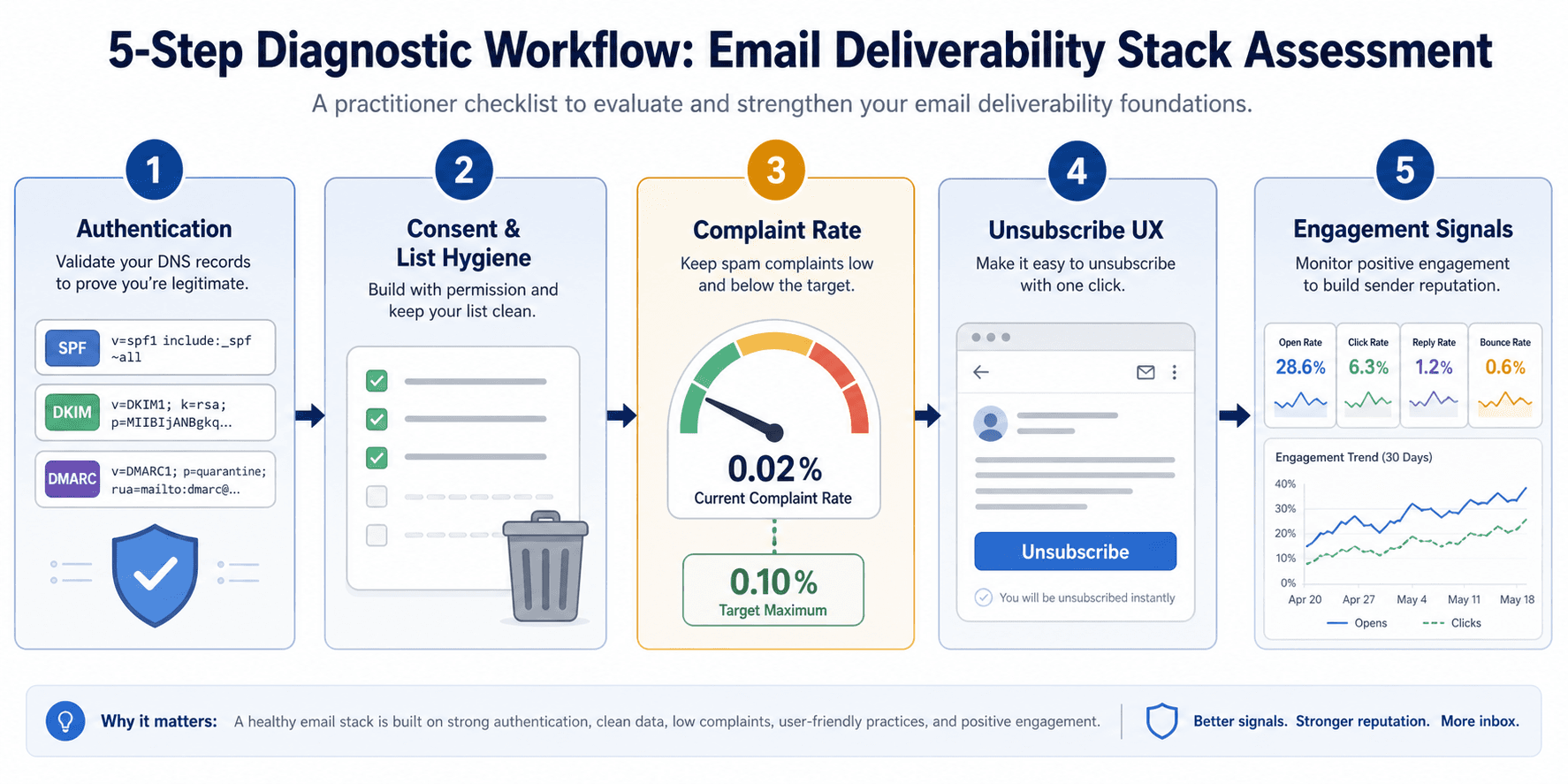
Before you invest in AI deliverability features, run through this diagnostic checklist. Each step includes a clear pass/fail criterion and a concrete next action.
- Authentication audit. Check SPF, DKIM, and DMARC records for every sending domain you use — including subdomains and third-party platforms like Salesforce, Zendesk, or Intercom. Pass: All three records valid and DMARC aligned (p=quarantine or p=reject). Fail: Any domain missing or misconfigured. Next action: Correct DNS records with your hosting provider. Prioritize DMARC alignment if you use multiple sending platforms.
- Consent and list hygiene check. Review acquisition sources: are all contacts explicitly opted in? Remove anyone acquired through purchased lists, third-party lead aggregators, or pre-checked boxes. Pass: 100% confirmed opt-in, no unengaged contacts older than 12 months. Fail: Any purchased or scraped contacts present. Next action: Suppress or remove all non-consented contacts immediately.
- Complaint rate verification. Use Google Postmaster Tools and your ESP's feedback loop to check your spam complaint rate over the last 30 days. Pass: Rate consistently below 0.10%. Fail: Rate above 0.10% or has touched 0.30% in the last 7 days. Next action: Reduce send volume, improve targeting, and suppress known complainers. Do not layer AI until the rate is sustainable.
- Unsubscribe UX audit. Confirm that every marketing email includes a visible one-click unsubscribe link that processes immediately without login. PassRFC 8058 header present and link functions correctly. FailUnsubscribe requires multiple clicks, login, or is buried. Next action: Implement RFC 8058. Test from a non-technical user perspective.
- Engagement signal baseline. Measure your current open and click rates by segment. AI optimization works best when you have enough engaged contacts to learn from. PassAt least 2,000 engaged contacts per sending domain with open rates above 20%. FailLow overall engagement or very small active list. Next action: Run re-engagement campaigns or suppress inactive contacts before investing in AI optimization.
The Real Risk: AI Acceleration Without Restraint
There is a dangerous feedback loop that AI content generation can introduce. When a team gains the ability to produce email copy and subject lines at scale — and also gains automated send-time optimization — the temptation is to increase volume rather than precision. More emails to more segments, more frequently, without proportional suppression logic for disengaged contacts.
The result is predictable: higher spam complaint rates, faster reputation decay, and deeper inbox placement loss. Blueshift's analysis notes that high complaint rates, disengaged audiences, or confusing messaging can jeopardize even a perfectly authenticated setup. AI did not cause the problem, but it accelerated it by making it easy to send more without thinking harder about who should receive each message.
When to Invest in AI vs. Fix Fundamentals First: A Decision Framework
Use this simple framework to decide where your next email deliverability dollar and hour should go. The rows are ordered by priority: fix higher-priority items before moving down.
| Current State | Action | AI Relevance |
|---|---|---|
| Authentication incomplete (SPF/DKIM/DMARC missing or misaligned) | Fix DNS records and align DMARC policy | None — AI cannot help |
| Spam complaint rate above 0.10% | Suppress complainers, improve targeting, reduce volume | None until rate is below 0.10% |
| Purchased or non-consented contacts present | Remove all non-consented contacts | None — AI cannot fix consent |
| One-click unsubscribe missing | Implement RFC 8058 | None — compliance requirement |
| Authentication, consent, complaint rate all healthy, but engagement is low | Re-engagement campaign, list pruning, then consider AI send-time optimization | AI may help after re-engagement |
| All fundamentals solid, complaint rate <0.10%, engaged list >2,000 | Evaluate AI deliverability tools for suppression automation, timing, content scoring | AI adds measurable value here |
| Already using AI, but inbox placement still declining | Re-audit fundamentals — AI may be masking a deeper issue | Pause AI investment until root cause is found |
The email marketing industry delivers an average return of $36–42 per dollar spent in 2026, according to DigitalApplied. But that return assumes the email arrives in the inbox. If your foundation is broken, no AI tool can fix it — and no ROI figure applies. The most valuable optimization you can make this quarter is not a new AI feature. It's a thorough audit of your authentication, consent, and complaint management. Once those are solid, the AI can do its job.

Comments
Join the discussion with an anonymous comment.