
How to Measure AI Search Traffic in GA4: Setup Guide & Limitations
Learn how to configure GA4's native AI Assistant channel, pair it with custom channel groups and Search Console views, and understand why your numbers likely capture only a fraction of real AI-influenced traffic.
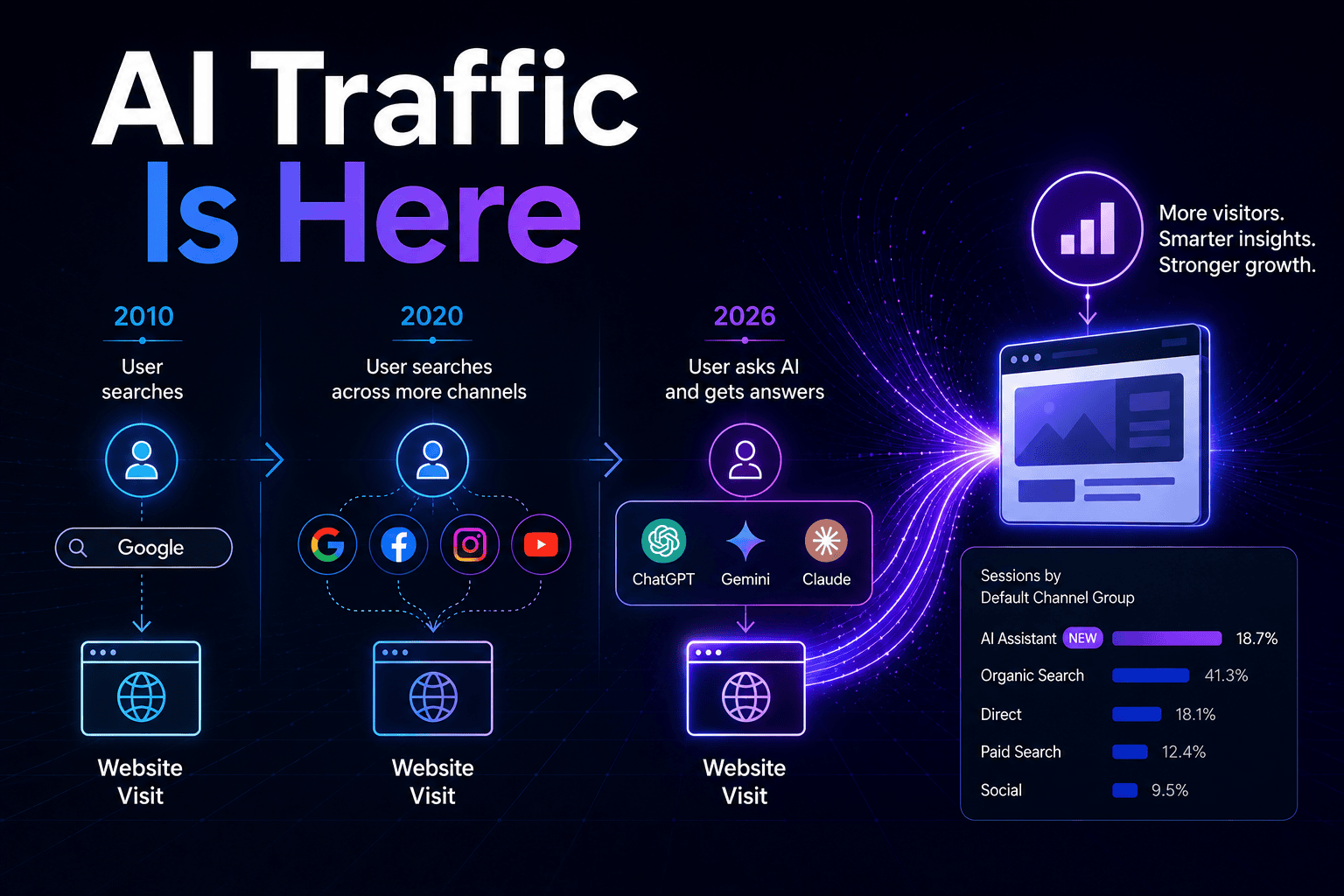
The practical answer for AI search traffic measurement in GA4 is now better than it was a few months ago: GA4 has a native AI Assistant channel, and you should use it. It recognizes a defined set of AI assistant referrals without custom setup, which removes one recurring reporting chore from the analyst’s plate. The less convenient answer is the one you need before anyone screenshots the report for leadership: that native channel is only the floor.
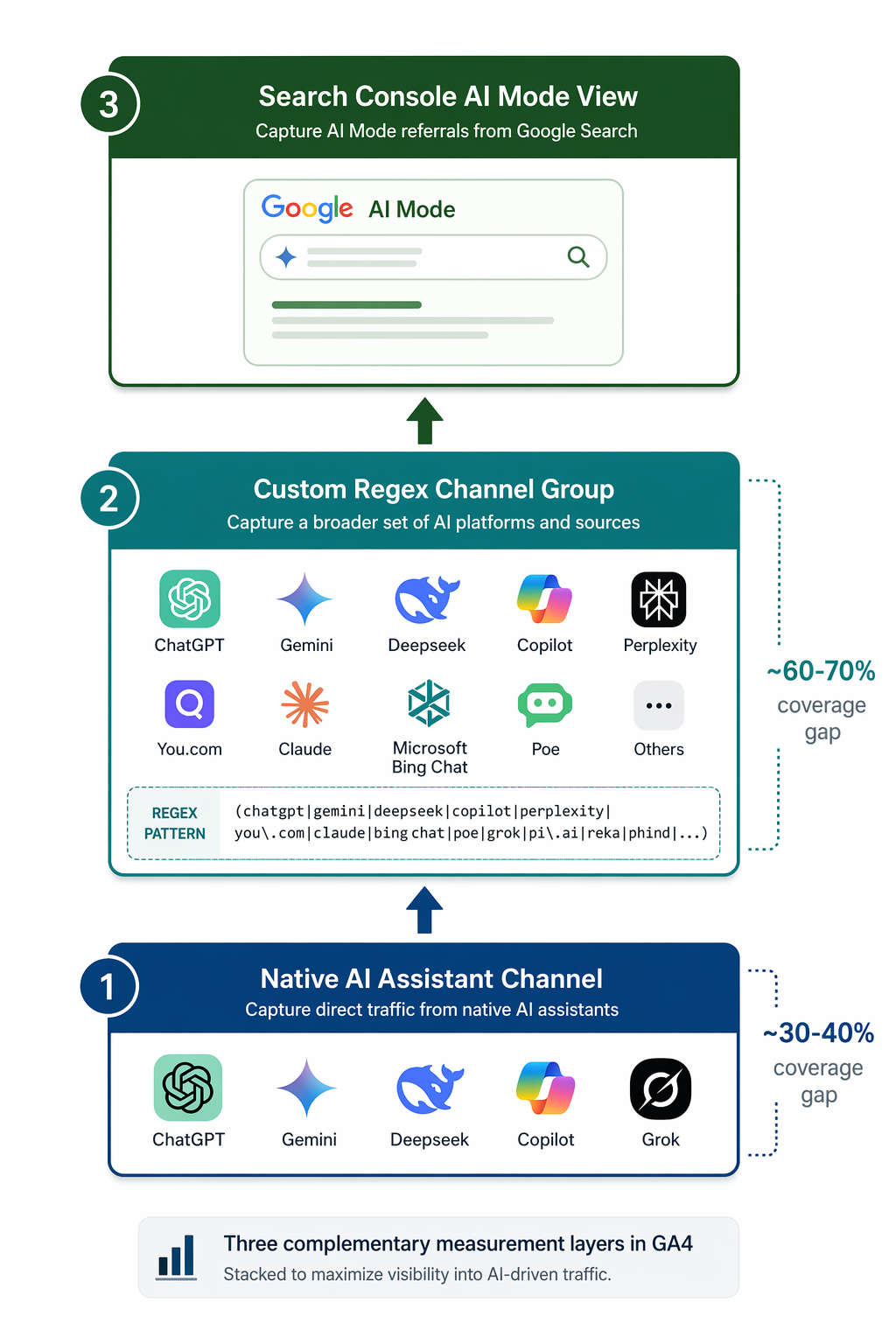
As of Google’s live documentation, AI Assistant traffic uses the medium ai-assistant and appears under the AI Assistant channel group for five recognized platforms: ChatGPT, Gemini, Deepseek, Copilot, and Grok.[1] Search Engine Land’s launch coverage on May 13, 2026 described the initial announcement around ChatGPT, Gemini, and Claude, which is why Claude’s absence from the later live documentation is not a trivia point; it is a reminder that this classification list is moving.[2]
For a defensible setup, treat AI measurement as three reporting layers: GA4’s native AI Assistant channel for the platforms Google currently classifies, a custom channel group for sources GA4 still places elsewhere, and Google Search Console views for Google AI Overviews and AI Mode visibility that GA4 will not break out as AI traffic. That is not analytics purism. It is the difference between saying “this is the number GA4 labeled AI Assistant” and saying “this is our measured AI-referred traffic, with known undercount conditions.”
Start With GA4’s Native AI Assistant Channel
The native channel is the right first layer because it requires no channel-rule maintenance and gives stakeholders a recognizable label. If your property has qualifying traffic, you can find it in standard acquisition reporting by changing the primary dimension to Session default channel group and looking for AI Assistant. Google’s update reached broad availability by early June 2026 after the May launch window, so a sudden appearance of this channel in June is often a classification change, not necessarily a demand spike.[1][2]
- Open GA4 and go to Reports > Acquisition > Traffic acquisition.
- Set the primary dimension to Session default channel group.
- Search or filter for AI Assistant.
- Add Session source / medium as a secondary dimension to see which recognized platform sent the session.
- Annotate May 13, 2026 as the launch date and build a fresh 90-day baseline before calling any post-launch increase a trend.
That annotation is not housekeeping. If a stakeholder compares April to June without knowing that GA4 changed classification logic in May, the report can make an implementation event look like a market event. A 90-day baseline after the classification launch gives you a cleaner comparison window, especially for sites with low AI referral volume.
| Traffic source | Where GA4 is likely to place it | Reporting consequence |
|---|---|---|
| ChatGPT, Gemini, Deepseek, Copilot, Grok | AI Assistant | Visible in the native default channel group when referral data is passed |
| Perplexity | Referral | Missed if you only report the native AI Assistant channel |
| Claude | Depends on current GA4 classification and referral behavior | Do not assume launch coverage still matches live documentation |
| Google AI Overviews and AI Mode clicks | Organic Search | Not isolated as AI traffic inside GA4 |
| AI-influenced visits without referrer data | Often Direct or otherwise unattributed | Not recoverable with channel grouping alone |
What The Native Channel Misses
The first gap is obvious once you look for it: Perplexity is still commonly classified as Referral rather than AI Assistant, so a native-channel-only report undercounts a platform many SEO teams specifically care about.[3] The second gap is more structural. Clicks from Google AI Overviews and AI Mode remain part of Organic Search in GA4, which means GA4 does not give you a clean “Google AI search” channel just because Google’s search result changed.[3]
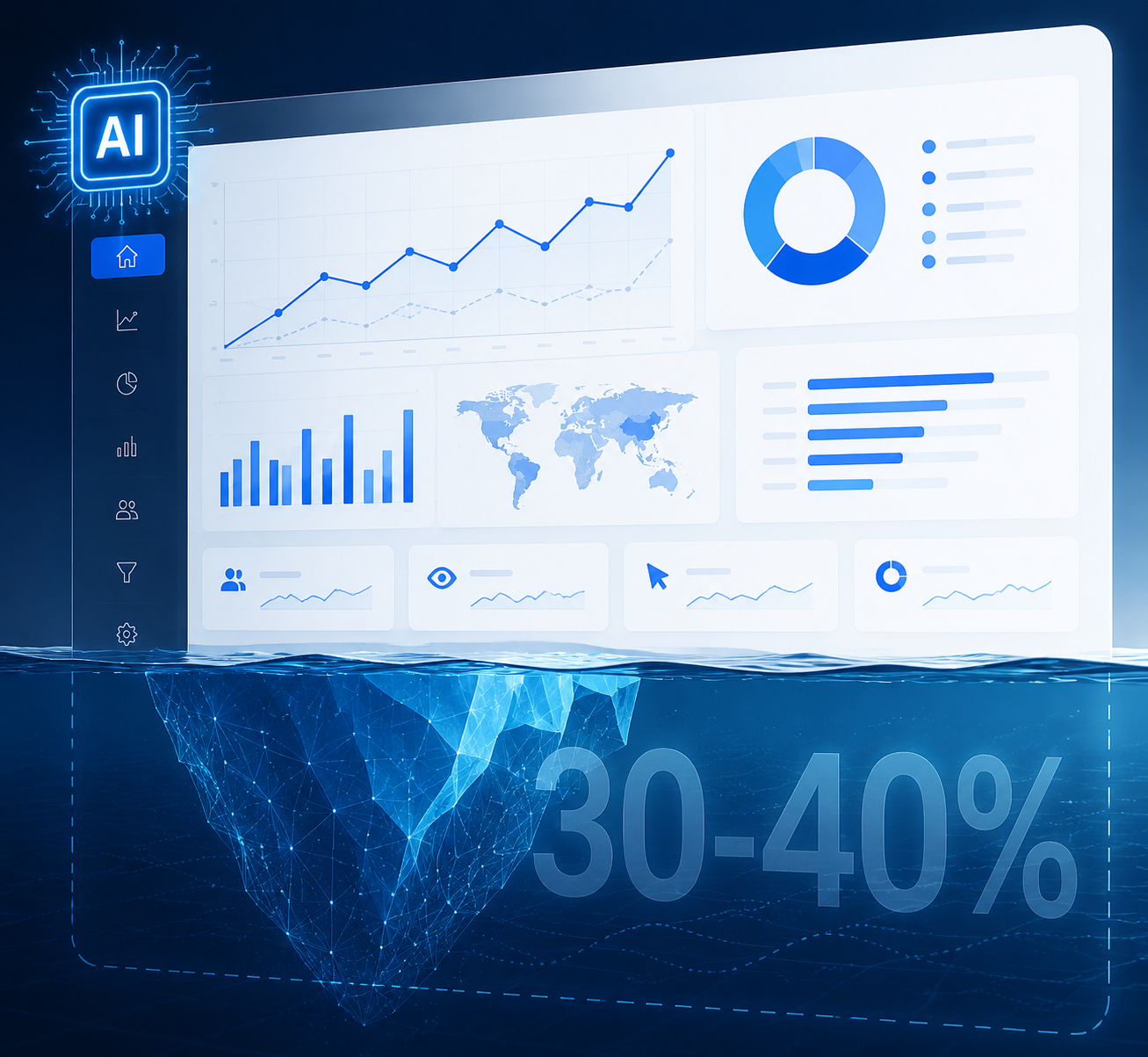
The third gap is the one that causes the most awkward Monday meetings: many AI-influenced sessions do not arrive with usable referrer data. Industry estimates commonly put that dark or unattributed share around 60–70%, but that range should be treated as directional rather than as a single audited benchmark with one shared methodology.[3][4] In working terms, this means GA4 may correctly classify what it can see while still missing most of the influence that created the visit.
The Tally case is the cleanest warning sign. Post-signup surveys showed that 25% of new users cited ChatGPT as an influence, while GA4 showed almost nothing from that source.[5] That does not prove every site has the same gap. It does prove that referrer-based reporting can be directionally wrong for AI discovery, especially when the user reads an answer in one environment and returns later through direct, branded search, a saved link, or a copied URL.
There is macro context behind the discomfort. SparkToro and Similarweb reported that from January through April 2026, 68% of Google searches ended without a click, using Similarweb panel data rather than the panel sources used in some earlier zero-click studies.[6] That finding should not be stretched into “AI killed traffic,” but it does make one thing clear: if you only measure sessions that arrive with tidy referral metadata, you are measuring the most visible slice of a larger visibility system.
Add A Custom Channel Group Before Referral
The native channel should stay in your reports. The custom channel group exists because you need a view you control when GA4’s platform list lags the market. This is where implementation mistakes usually happen: the regex is too narrow, the condition matches the wrong dimension, or the new rule sits below Referral and never gets a chance to classify the session.
- Go to Admin > Data display > Channel groups.
- Copy the default channel group rather than editing the original.
- Create a channel named AI Search or AI Referrals.
- Set the rule to match Session source, or Source / medium if your reporting standard uses that dimension.
- Use a broad, maintained regex pattern that includes Perplexity and the long tail of AI assistants, not only the five platforms Google currently recognizes.
- Move the custom AI rule above Referral.
- Save the group and use it consistently in Explorations, Looker Studio, and stakeholder reporting.
The channel-ordering rule deserves the extra line. GA4 evaluates channel rules in order. If Perplexity, Claude, or another AI source matches Referral before it reaches your AI rule, your carefully built regex will not help the report. Place the AI rule above Referral so source matches are caught before the broad fallback bucket takes them.
For the pattern itself, the strongest current approach is to use a maintained community regex rather than inventing a one-time list in a meeting. Analytics Mania documents a Dana DiTomaso pattern intended to cover 30+ AI platforms, while Google’s own examples are narrower and better understood as a starting point than as full market coverage.[4] Two Octobers also walks through the same practical GA4 channel-group setup, including the need to classify AI sources before they fall into Referral.[5]
Recommended rule shape:

Channel name: AI Search or AI Referrals
Condition: Session source matches regex
Pattern: Use the current maintained AI-source regex from your chosen documentation source
Position: Above Referral

Do not treat a static five-platform pattern as complete coverage.
A short static pattern can be useful for testing whether the rule works, but it should not become your production definition unless your organization is comfortable missing new assistants, renamed domains, regional products, and platform-specific referral variants. The operational habit matters more than the first version of the regex: assign an owner, review the source list on a set cadence, and document every update in the same place you document channel definitions.
How To Check Whether The Rule Is Working
After saving the custom group, do not jump straight into a dashboard. Open a Traffic acquisition report or Exploration, switch the dimension to your custom channel group, and add Session source / medium. You are looking for three things: known AI sources moving out of Referral, no obvious non-AI sources getting swept into the AI bucket, and consistent classification across the dates after the rule went live.
| QA check | What you want to see | What to fix if it fails |
|---|---|---|
| Perplexity source appears under custom AI channel | Perplexity no longer sits only in Referral | Move the AI rule above Referral or adjust the source regex |
| ChatGPT appears in native and custom views as expected | The custom layer does not contradict the native layer | Check whether you are mixing session source, user source, and source / medium |
| Referral volume changes after implementation | Some AI referrals move into the AI channel | Annotate the implementation date so the classification shift is not read as traffic loss |
| Direct remains large | Some unattributed traffic is still unattributed | Do not force Direct into AI without supporting evidence |
That last row is where a lot of bad AI reporting starts. If a site has a large Direct bucket and leadership believes AI is driving awareness, the temptation is to “model” a share of Direct into AI. You can do that in a separate analysis if you have survey data, user-level research, or a documented assumption model. Do not silently reclassify Direct in the channel report and call it measurement.
Use Search Console For Google AI Visibility
GA4 is not the place to isolate Google AI Overviews and AI Mode as their own acquisition channel. Those clicks flow through Google organic behavior, so they land in Organic Search rather than a distinct AI channel.[3] If your question is “how much traffic did GA4 classify from AI assistants,” GA4 answers part of it. If your question is “how is Google’s AI search experience affecting our organic visibility,” you need Search Console alongside GA4.
In Search Console, build a working view around queries, pages, country, device, and date ranges that are likely to be affected by AI search experiences. You will not get a perfect AI Overview click label for every session. What you can do is monitor changes in impressions, clicks, click-through rate, and page-level performance for the content most likely to be cited, summarized, or displaced by AI results. That is a visibility layer, not a replacement for GA4 acquisition reporting.
This is also where pre-click work belongs. If your team is tracking whether content gets cited or summarized in answer engines, connect that work to your post-click measurement instead of asking GA4 to solve both jobs. GA4 helps you measure the visits that arrive; citation monitoring helps explain the visibility that may never produce a clean referral.
Why The Undercount Matters Commercially
The reason to fix this is not vanity channel hygiene. AI-referred visitors can be commercially meaningful, even when total session volume is small. Adobe Analytics retail data from late 2025 reported AI referrals converting at 4.4 times the rate of organic search, while Conductor’s November 2025 benchmark reported 73% first-session conversion for AI traffic compared with 23% for organic.[7][8] Those are segment- and window-specific benchmarks, not universal conversion laws. They are still enough to make undercounting painful.
This is where executives and analysts often talk past each other. The executive sees a small traffic number and assumes AI discovery is marginal. The analyst sees a small classified number, a high-intent source, a Direct bucket that cannot be explained away, and survey evidence from cases like Tally. The right response is not to inflate the number. It is to show the measured number and the measurement boundary in the same breath.
A Reporting View You Can Defend
For recurring reporting, separate the layers instead of blending them into one heroic AI number. A clean dashboard can still have honest labels.
| Report line | Data source | Label to use |
|---|---|---|
| GA4 native AI Assistant sessions | GA4 default channel group | Sessions GA4 classified as AI Assistant |
| Expanded AI referral sessions | Custom GA4 channel group | Measured AI-referred sessions from maintained source matching |
| Google AI-influenced organic visibility | Search Console | Organic visibility and clicks in queries/pages likely affected by AI search |
| Survey-identified AI influence | Post-signup or post-conversion survey | Self-reported AI influence, not GA4-attributed traffic |
| Known undercount | Methodology note | Unattributed sessions, missing referrers, and AI visibility without clicks |
The report note can be short. Something like this is usually enough: “AI Assistant sessions are the visits GA4 natively classified from recognized AI platforms. Expanded AI referrals include additional AI sources matched through our custom channel group. These figures exclude Google AI Overviews and AI Mode clicks reported within Organic Search, and they do not capture AI influence when no referrer is passed.”
That wording does two useful things. It protects the number from being oversold, and it protects the analyst from being accused later of hiding the caveat in a footnote. If leadership wants a broader influence estimate, that is a separate model using surveys, Search Console, rank and citation monitoring, and assumptions that are visible enough to debate.
The Setup Sequence
If you need to get this live today, do it in this order. The order matters because each step changes how the next report should be interpreted.
- Verify whether the native AI Assistant channel appears in Traffic acquisition.
- Annotate May 13, 2026 and any internal implementation dates that affect classification.
- Build a 90-day post-launch baseline before presenting trend claims.
- Create a copied custom channel group with a maintained AI-source regex.
- Move the AI rule above Referral and QA the source / medium output.
- Create a Search Console view for Google organic pages and queries likely affected by AI search experiences.
- Add a methodology note to every recurring AI traffic report.
The final number should not be called total AI traffic. Call it measured AI-referred sessions, and show the native and expanded versions separately when the audience needs the detail. GA4’s AI Assistant channel is a useful floor. The custom group widens the floor. Search Console explains part of the Google organic layer that GA4 will not split out. The remaining gap is not a dashboard failure; it is a measurement condition that needs to be named before the number travels.
References
- What's new in Google Analytics — AI Assistant traffic measurement, Google Analytics Help
- Google Analytics adds AI Assistant channel to measure AI traffic, Search Engine Land
- GA4's New AI Assistant Channel: Measure AI Traffic in 2026, Digital Applied
- How to track and report AI traffic in Google Analytics 4, Analytics Mania
- Tracking AI Traffic in GA4: A Step-by-Step Guide, Two Octobers
- In 2026, Less than One Third of Google Searches Still Send a Click, SparkToro
- Tracking AI Traffic in GA4: What's Possible (and What's Not), Backbone Media
- The Agency Guide to Tracking AI Traffic in GA4, Swydo

Comments
Join the discussion with an anonymous comment.