
How to Use Gemini Transcription for Ad Creative Research
Turn long-running competitor ads from the Meta Ad Library and YouTube into timestamped transcripts and hook/claim/CTA notes with Gemini 2.5 Flash, at a computed input cost under a cent per 30-second ad. Every output stays checkable against the source video — the verification loop this audience prefers over vendor-produced insight summaries.
- Platform
- Meta Ad Library0 YouTube
- Creative type
- Video
- Last reviewed
- 0-08-28
A 30-second ad has a computed audio-input cost of $0.00075 on Gemini 2.5 Flash—below one-tenth of a cent—using Google’s reference of 25 audio tokens per second and its price of $1.00 per million input tokens for prompts up to 200,000 tokens.[1][2] That purchase yields transcript material you can check against the ad. It does not reveal CTR, ROAS, spend, targeting, or proof that the creative works.
| Verification item | Value used |
|---|---|
| Cost formula | 30 seconds × 25 audio tokens/second × $1.00 ÷ 1,000,000 = $0.00075 audio input |
| Computed one-minute input cost | 60 seconds × 25 × $1.00 ÷ 1,000,000 = $0.0015 |
| Last reviewed | August 28, 2026 |
| Verified model ID | gemini-2.5-flash |
| Excluded from the calculation | Output tokens, visual input from video, other prompt context, and context caching |
The two inputs to that calculation are Google’s token pricing and documented media-processing behavior. Model capabilities and status should be checked on the Gemini 2.5 Flash documentation.[1][2][3]
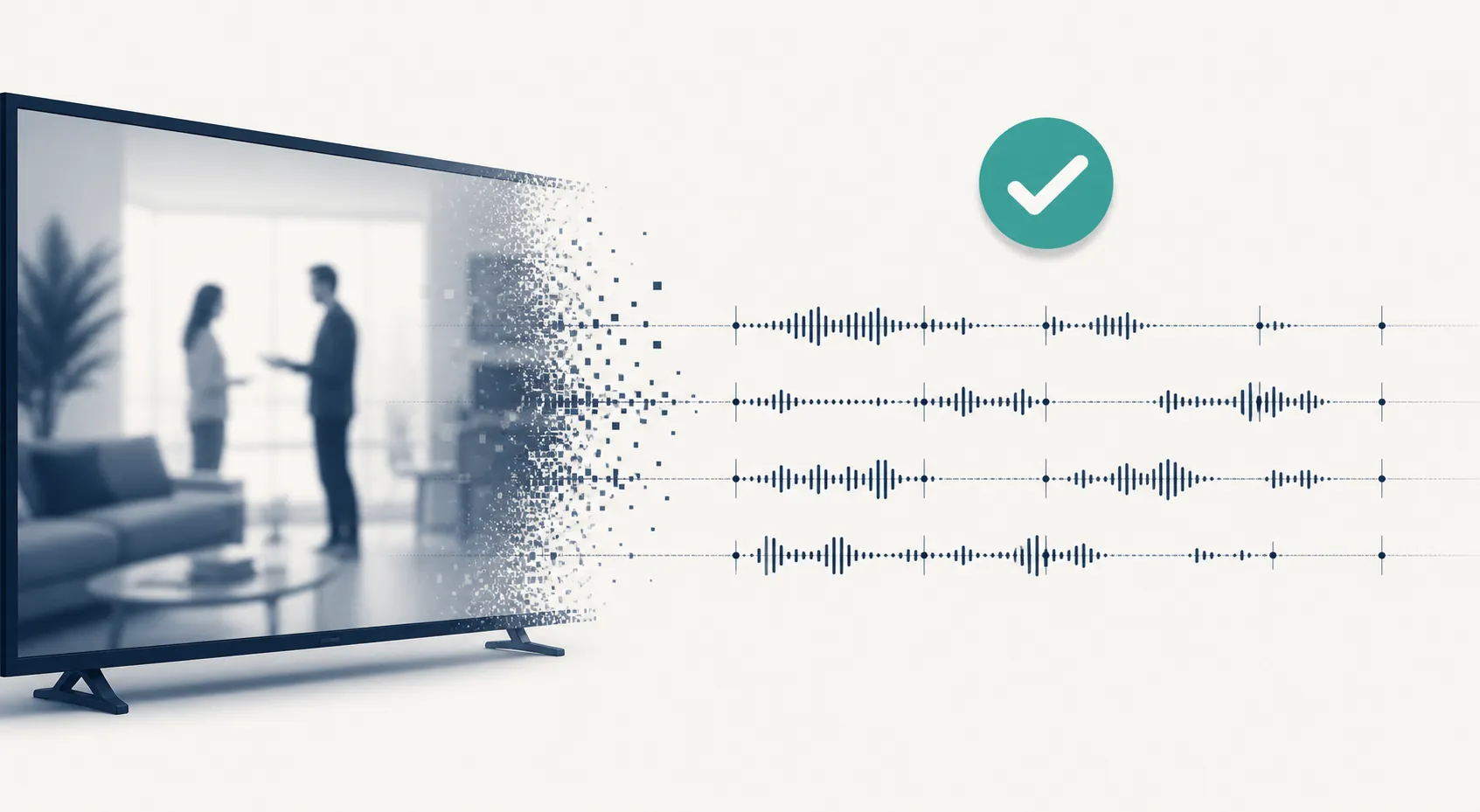
Meta’s Ad Library can expose the creative, copy, headline, CTA, platforms, start date, and run-duration clues for active commercial ads, but it withholds competitor CTR, ROAS, spend, and targeting. Inactive commercial ads can disappear from coverage. YouTube can supply the public source video when one is available, but it likewise does not turn a transcript into campaign-performance intelligence.[4][5] The honest use of Gemini here is narrower: reduce the clerical work required to turn visible ads into timestamped, reviewable research notes.
The complete source-to-verification flow
| Stage | Action | Evidence retained |
|---|---|---|
| Select | Find a long-running ad in the Meta Ad Library or a relevant public YouTube ad | Source URL, advertiser or channel, first-seen or start date, review date |
| Submit | Send permitted media or one supported public YouTube URL to Gemini | Model ID, request date, file name or URL |
| Extract | Request timestamped transcript segments plus separate hook, claim, and CTA fields | Raw response and prompt version |
| Store | Add verified fields to a shared swipe file | Source references, timestamps, reviewer, status |
| Verify | Replay every cited moment in the original ad | Corrections and verification status |
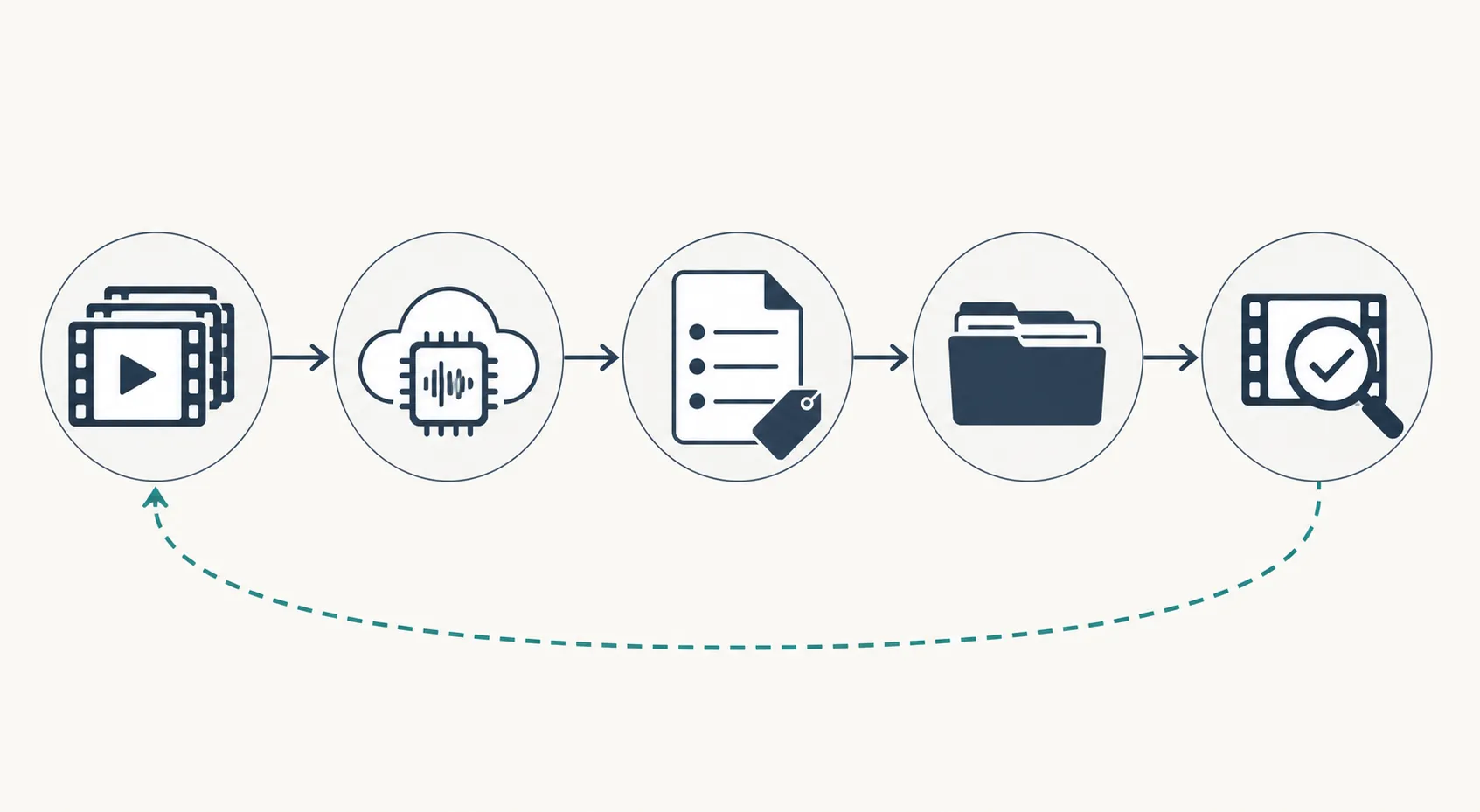
Start the record before opening Gemini. A useful source row contains the ad-library or YouTube URL, brand, visible start date, date observed, placement clues, duration, and the person who captured it. If the library later stops displaying an inactive commercial ad, that row preserves where the research originated, although it does not grant permission to redistribute the media.[5]
Longevity is a triage signal, not an outcome metric. A creative that remains active for 60 or 90 days may deserve attention because someone chose to keep it running, but the library does not disclose whether it received meaningful spend or produced profitable results. Ryze reports that 11.3% of 47,392 active ads across 1,247 brand pages survived beyond 60 days; its guide does not identify the underlying study, so that figure should remain attributed rather than treated as an independently verified benchmark.[4]
In practice, sort candidates into a small queue: long-running ads first, then recurring concepts or offers, then newer creative that fills an obvious research gap. The purpose of the filter is to avoid paying attention to every ad—not to label survivors as winners.
Design the Gemini request for replay, not presentation
Gemini 2.5 Flash supports native audio and video understanding, including transcription, summarization, and structured output, with a context window of up to one million tokens.[3] The useful feature for ad research is not the summary itself. It is the ability to require each extracted observation to carry a timestamp and a source quote.
Send media you are permitted to process, or use the documented public-YouTube-URL route. Google’s REST interface accepts a public YouTube URL as a file URI, with only one YouTube URL allowed per request.[2] Meta Ad Library research generally requires retaining the library reference and separately supplying media you are allowed to submit.
Use a request that explicitly separates what appeared in the ad from the model’s interpretation. The following prompt is intentionally repetitive about evidence because a neat category label without a replayable source is the failure mode to avoid.
Model: gemini-2.5-flash

You are analyzing one advertisement for creative research.

SOURCE
- source_url: {{SOURCE_URL}}
- source_type: {{meta_ad_library|youtube|uploaded_media}}
- source_reference: {{AD_ID_OR_FILE_NAME}}
- observed_at: {{ISO_DATE}}

TASK
1. Transcribe spoken words in chronological segments.
2. Record clearly readable on-screen text separately from speech.
3. Use MM:SS timestamps for every segment.
4. Do not silently correct product names, prices, quantities, or claims. If uncertain, preserve the uncertainty in the text and set needs_review to true.
5. Extract candidate hooks, claims, and calls to action only when each item can cite one or more transcript or on-screen-text segment IDs.
6. Keep direct evidence separate from interpretation. Never place a paraphrase in source_quote.
7. Do not infer CTR, ROAS, spend, targeting, audience response, or campaign success.
8. Return null rather than inventing a missing field.
9. Return JSON only, following the supplied schema.
The schema should make unsupported conclusions awkward to store. A hook classification belongs in an interpretation field; the words that triggered it belong in an evidence field.
{
  "source": {
    "source_url": "string",
    "source_type": "string",
    "source_reference": "string",
    "observed_at": "YYYY-MM-DD",
    "model_id": "gemini-2.5-flash"
  },
  "transcript_segments": [
    {
      "segment_id": "S01",
      "start": "MM:SS",
      "end": "MM:SS",
      "speaker_label": "string|null",
      "spoken_text": "string",
      "needs_review": true
    }
  ],
  "onscreen_text": [
    {
      "segment_id": "V01",
      "start": "MM:SS",
      "end": "MM:SS",
      "text": "string",
      "needs_review": true
    }
  ],
  "interpretation": {
    "hooks": [
      {
        "classification": "string",
        "source_segment_ids": ["S01"],
        "source_quote": "string",
        "reasoning": "string",
        "verification_status": "pending"
      }
    ],
    "claims": [
      {
        "claim_type": "string",
        "source_segment_ids": ["S03", "V02"],
        "source_quote": "string",
        "qualifier_or_disclaimer": "string|null",
        "verification_status": "pending"
      }
    ],
    "ctas": [
      {
        "cta_type": "string",
        "source_segment_ids": ["S08"],
        "source_quote": "string",
        "destination_or_offer": "string|null",
        "verification_status": "pending"
      }
    ]
  },
  "review_notes": ["string"]
}
This structure follows a familiar media-buyer breakdown: identify the opening hook, isolate the claims used to support the pitch, and capture the CTA that closes it.[6] It also prevents a subtle spreadsheet problem. If “fear-based hook” and the actual first sentence share one cell, the analyst who disagrees with that classification has to reconstruct the evidence. With separate fields, they can keep the quote and change only the interpretation.
What belongs in the swipe file
- Source URL and stable source reference, where available
- Brand, platform, observed date, visible start date, and calculated run-duration note
- Exact transcript or on-screen quote
- Start and end timestamp
- Interpretive label, such as hook type, claim type, objection handled, offer, or CTA type
- Verification status: pending, verified, corrected, or unusable
- Reviewer, review date, model ID, and prompt version
Keep the raw Gemini response as well as the normalized row. A spreadsheet is sufficient for a small team; automation can append records later. An existing n8n template demonstrates the general precedent of sending Facebook-ad material through Gemini and writing structured results to Google Sheets, though the template is not evidence that its generated insights are accurate or that the ads performed well.[7] If access paths are unclear, separate API billing from a consumer subscription before building; the distinction is covered in this Gemini access and pricing tracker.
The verification loop is the actual research layer
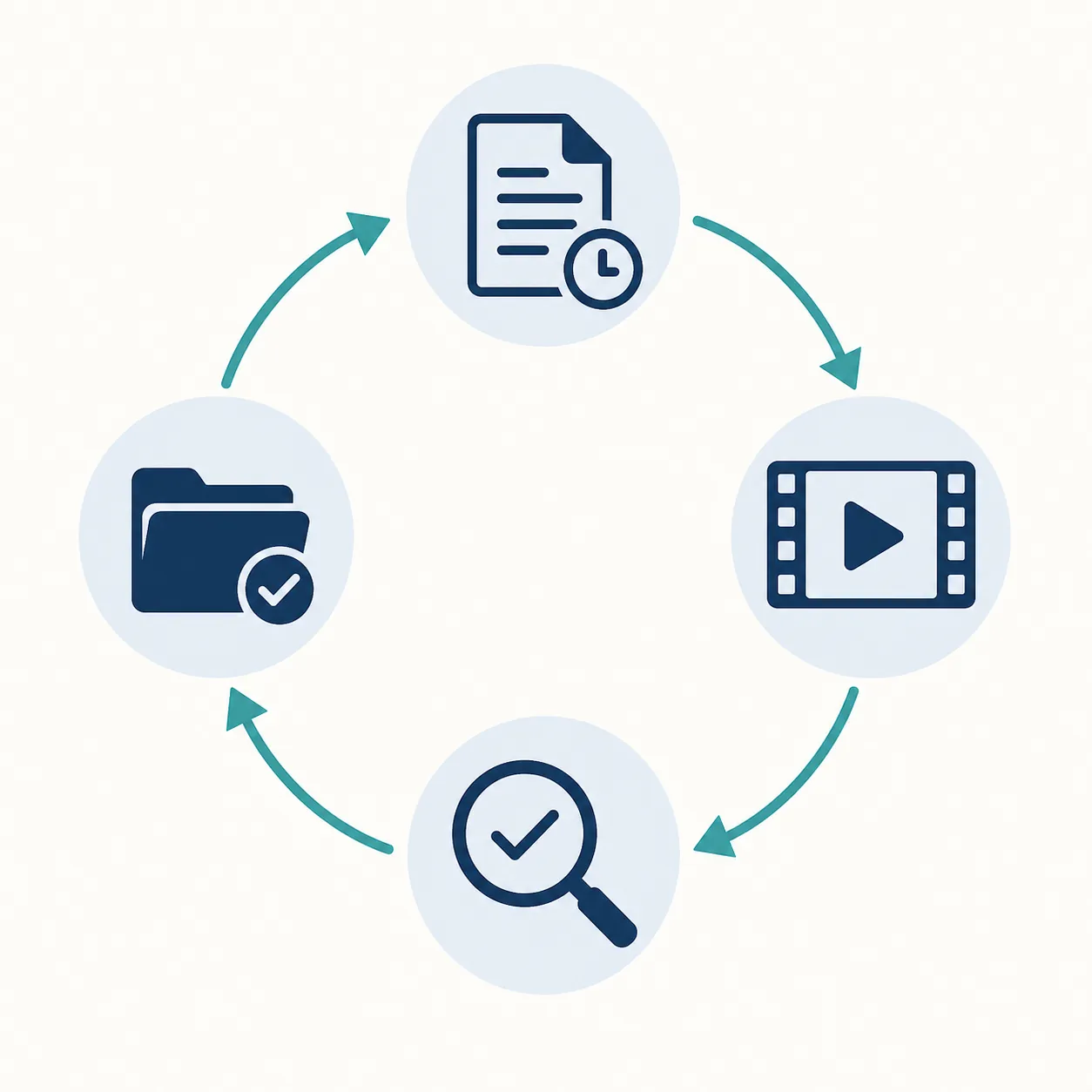
Once Gemini returns the JSON, do not begin by polishing its summary. Open the source ad and work through the extracted items in the order that could most affect a decision: numerical claims, offer terms, named products, hook wording, CTA, and visual-only qualifiers.
- Open the original source URL, not a detached summary.
- Jump to the cited timestamp and compare the source quote with the audio and frame.
- Correct transcription errors without overwriting the raw model response.
- Check whether a claim’s disclaimer or qualifier appears elsewhere on screen or later in the ad.
- Accept, revise, or reject the hook, claim, and CTA labels.
- Record the reviewer and date, then promote only verified items into the working swipe view.
A timestamp can also fail review. If the cited moment is off by a few seconds but the quote is present, correct the time. If the quote cannot be found, reject the extraction. If an on-screen condition flashes too briefly to read confidently, mark it for frame-by-frame review instead of allowing the cleaner spoken claim to stand alone.
For a larger evaluation set, word error rate and character error rate can help compare transcript output with human reference text. Formatting can also be evaluated separately through timestamp quality, punctuation, and speaker labels.[8] Those are evaluation methods, not published Gemini accuracy scores for competitor ads. No unsupported accuracy percentage is needed: the operational question is whether the fields your team relies on survive source review.
What the low cost includes—and what it leaves out
Google bills tokens rather than audio minutes. At the documented reference of 25 audio tokens per second, one audio minute represents approximately 1,500 input tokens. Multiplying that by the $1.00-per-million input rate gives the computed $0.0015 audio-input figure; half a minute gives $0.00075.[1][2]
| Component | How to treat it |
|---|---|
| Audio input | Computed from duration × 25 audio tokens/second × the applicable input-token rate |
| Instruction and schema text | Additional input context; measure it from actual API usage |
| Video input | Additional media processing beyond the audio-only arithmetic |
| Generated transcript and analysis | Output tokens billed separately |
| Context caching | Separate pricing behavior; include only if the implementation uses it |
Gemini 2.5 Flash output is listed at $2.50 per million tokens for the same up-to-200,000-token pricing band.[1] A verbose transcript, repeated source text, and detailed interpretation therefore increase total request cost even when the audio-input component is tiny. Full-video analysis also should not be quoted using the audio-only calculation. The reliable budget comes from logging input, cached, and output usage returned by the API for a representative batch.
Google documents a $300 credit for eligible new Cloud customers, which can make a pilot inexpensive, but it does not change the unit economics or establish an ongoing free tier.[2] Unverified AI Studio free-tier limits should not be built into an agency cost forecast.
Media handling changes what Gemini can see
Google documents video sampling at one frame per second, audio processing at 1 Kbps mono, and timestamps added at one-second intervals. It recommends MM:SS timestamps when working with video at the default one-frame-per-second rate.[2] That is adequate for locating spoken hooks and claims, but it is a real constraint for ads built around rapid cuts, briefly flashed disclaimers, fast product demonstrations, or text that changes between sampled frames.
The documented prompt limits are approximately 8.4 hours of audio at up to one million tokens for Gemini 2.5 Flash and approximately 45 minutes for video with audio.[2][3] Those ceilings are far above the length of a typical short ad, but they matter if a team concatenates creative into reels. Separate requests preserve cleaner source identity and make retries less wasteful.
- Non-speech sounds may be interpreted incorrectly; verify music cues, sound effects, and indistinct crowd audio against the source.[2]
- One-frame-per-second sampling can miss brief visual details; inspect important offer cards and disclaimers manually.[2]
- Names, prices, percentages, and promotional terms deserve mandatory review even when the surrounding sentence looks fluent.
- A public YouTube URL request can contain only one URL, so store one source record per request rather than combining unrelated ads.[2]
Turn repeated patterns into tests, not competitor scorecards
After enough verified rows accumulate, the swipe file can answer useful creative questions. Which opening problems recur across long-running ads? Which claims are spoken while a product demonstration appears? Which CTAs pair urgency with a specific offer? Which objections are handled before the midpoint rather than at the end?
Those patterns become hypotheses for the team’s own campaigns. A repeated hook might justify an original concept test against the current control. A common claim structure might suggest a new sequence for proof. A recurring CTA may be worth testing with the agency’s own offer and audience. None of those observations establishes why a competitor kept an ad live, how much it spent, or whether copying the visible pattern will improve results.
The maintenance burden is small but dated. This article verified gemini-2.5-flash and the linked pricing and media documentation on August 28, 2026. Google documents Gemini 2.5 Flash for retirement on October 20, 2026, while current Google samples already reference gemini-3.5-flash.[3] Re-verify the model ID, prices, token behavior, limits, and source links at publication, and flag the workflow for review before that retirement date. Whatever model replaces it, the admission rule for the swipe file stays practical: if a note cannot be checked at its timestamp in the source video, it has not earned a place.
References
- Agent Platform Pricing — Google Cloud
- Video understanding | Gemini Enterprise Agent Platform — Google Cloud Documentation
- Gemini 2.5 Flash | Gemini Enterprise Agent Platform — Google Cloud Documentation
- Meta Ads Library: How to Use It for Competitive Research (2026) — Ryze AI
- How to Use the Meta Ad Library for Competitor Research? (2026 Guide) — AdLibrary.com
- How to Analyze Competitor Ad Copy & Hooks: Framework for Media Buyers — Daily Intel Service, August 4, 2026
- Analyze Facebook ads and send insights to Google Sheets with Gemini AI — n8n
- How partners unlock scalable audio transcription with Gemini — Google Cloud Blog
This is a record of what happened and what was tested, not legal advice. Compliance determinations require qualified counsel.